PUMP-1 Bluetooth Proxy
This guide shows you how to make your Apollo device act as a "BLE Proxy" which lets Bluetooth devices talk back to home assistant using Apollo devices as the "next hop"!
This product does not have a prebuilt _BLE.yaml firmware
This product is set up as a Bluetooth Proxy by adding the BLE proxy yaml to your existing config by hand. Follow the steps below.
The easiest way is to let ESPHome Device Builder add the component for you. You can also paste the single line by hand.
1. Open ESPHome Device Builder and click Edit on your device. The button below opens the app right in your Home Assistant.
 Open ESPHome Device Builder
Don't have it installed yet? Add it from the App Store with the badge below first.

2. Click Add Component in the editor toolbar, search for Bluetooth Proxy, and click Add.
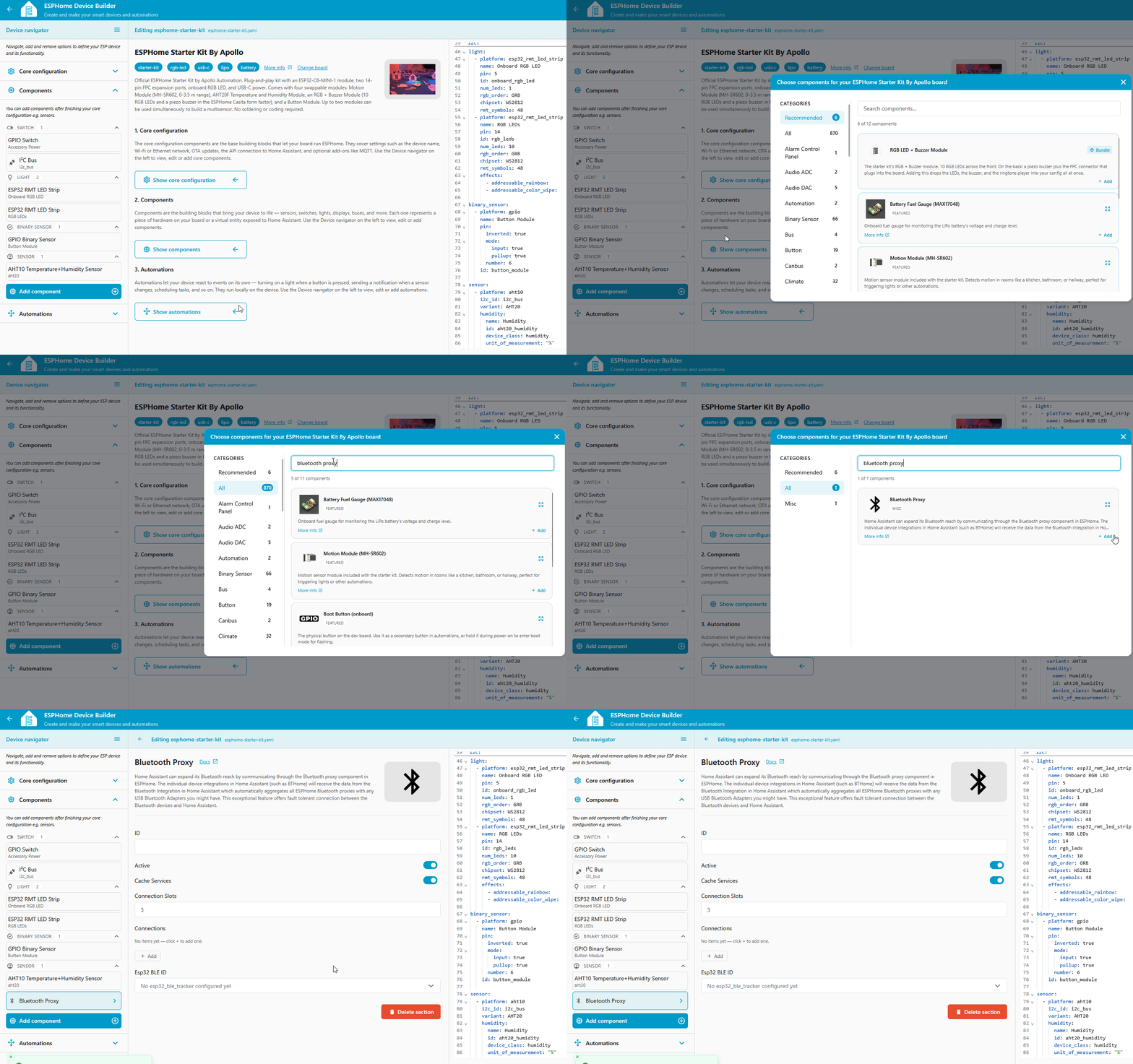
Device Builder drops a single line into your config:
That's all it needs. Active connections are on by default, and bluetooth_proxy automatically pulls in the ESP32 BLE Tracker it depends on, so there's nothing else to add. Prefer to type it? Paste that one line at the top level of your YAML instead of using Add Component.
3. Click Save, then Install, and choose On the Network to flash the new firmware over Wi-Fi.
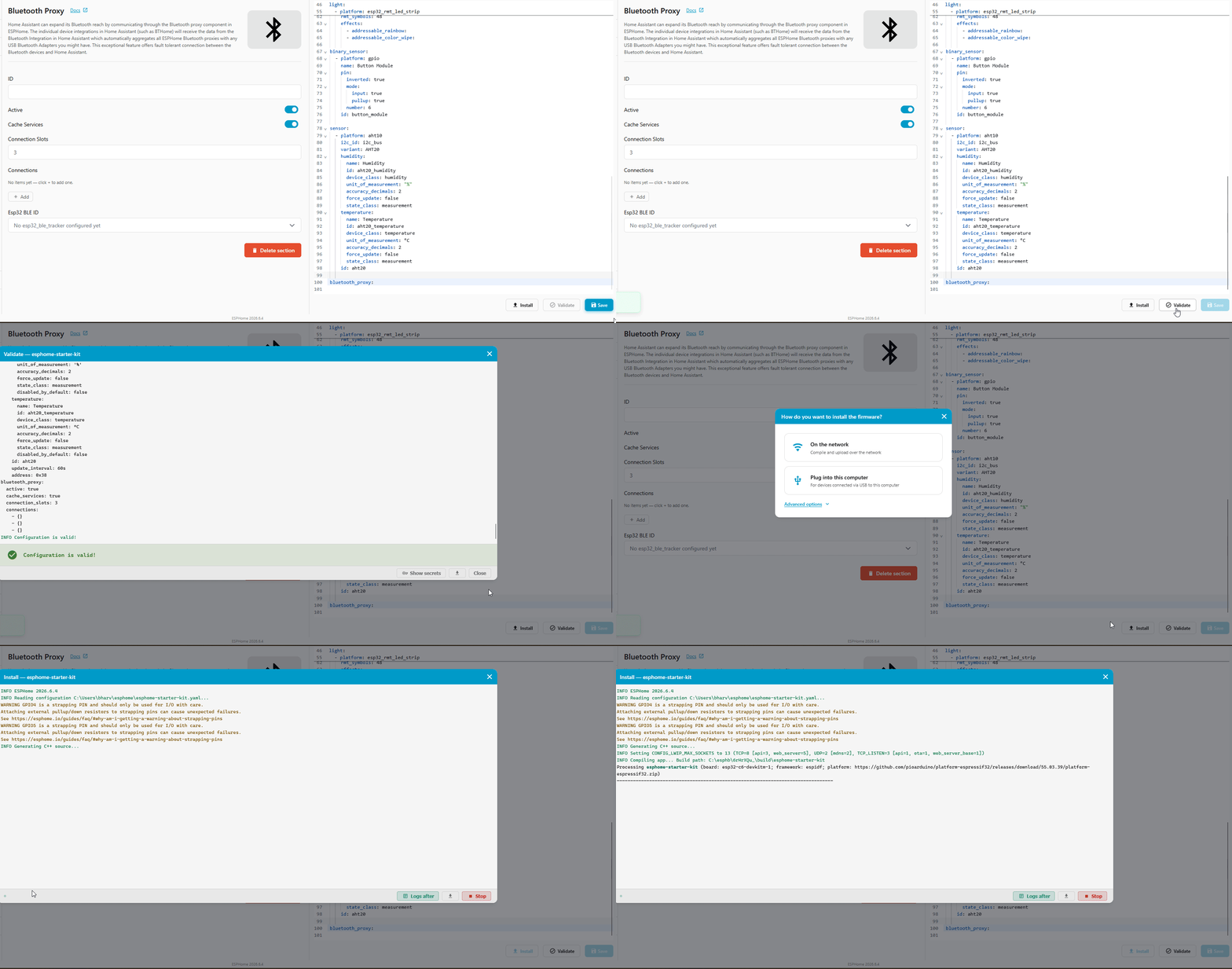
Verify it works
Once the device reboots, Home Assistant picks it up as a Bluetooth proxy automatically. Open the Bluetooth advertisement monitor to watch nearby BLE devices roll in through it. Anything that shows up is ready to add under Settings → Devices & Services → Bluetooth like any other device.