Factory re-flash M-1
If your device becomes unresponsive and you've exhausted the other troubleshooting methods you can reflash the factory firmware by following the steps below.
Use Chrome, Edge, or another Chromium based browser. Recent versions of Firefox work too.
1. Plug in a USB cable that supports power and data into your computer.

2. Push and hold the boot button (the left button). While still holding the button down, plug in a USB-C cable into the USB-C port of your M-1 LED Matrix then let go of the button.
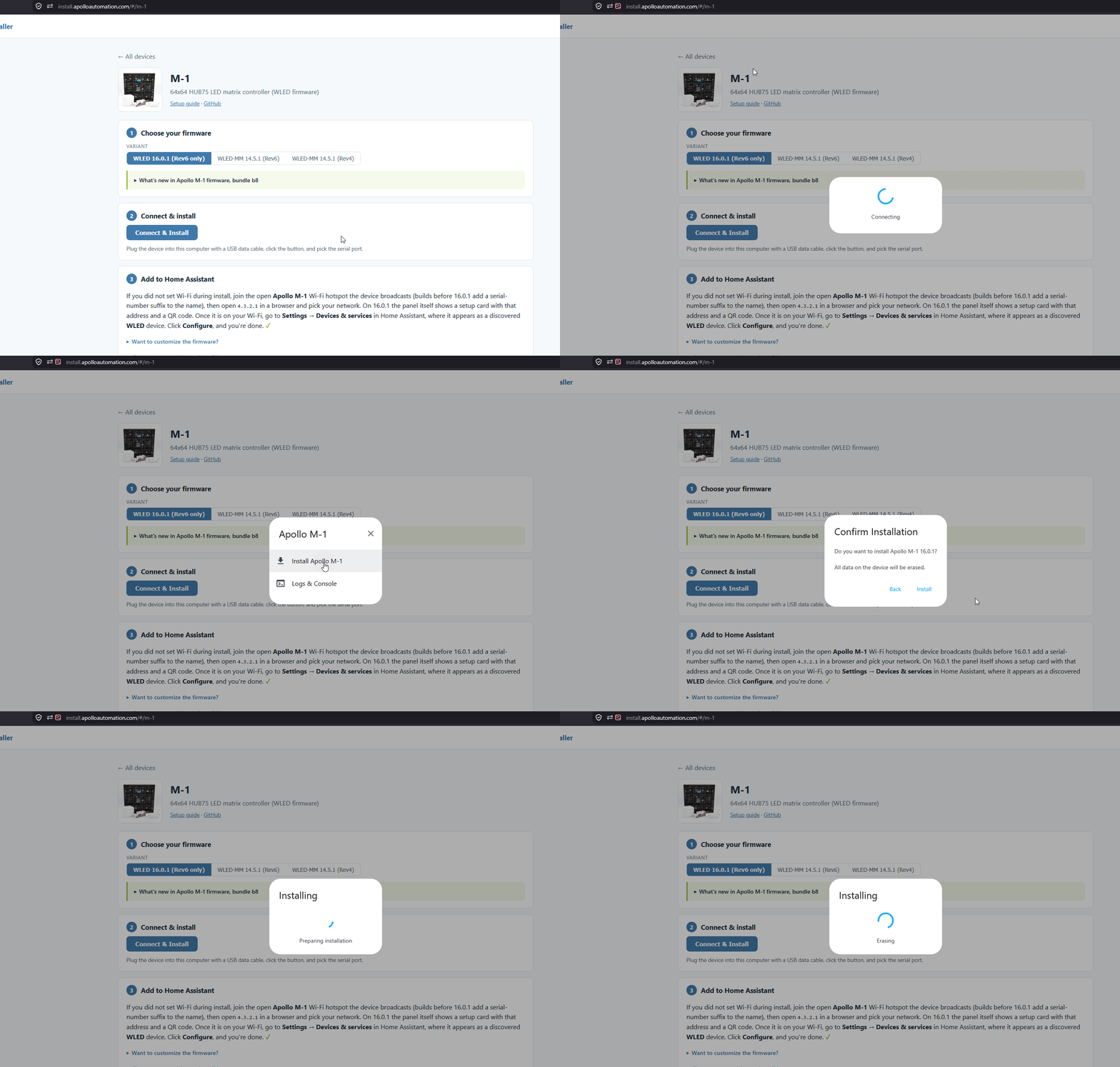
3. Open the Apollo M-1 installer and choose your firmware. New units ship with WLED 16.0.1, which is the default.
Still on the older firmware?
WLED-MM 14.5.1 (Rev6) and WLED-MM 14.5.1 (Rev4) are the older MoonModules builds. Match the revision printed on the back of your controller.
4. Click Connect, then Install. Your browser asks for permission to use your serial ports, so click Allow, then pick your M-1 from the list.
5. Check Erase device, click Next, then click Install. The erase is what brings the M-1 back to its factory display settings.
6. Once you see "Installation complete!" you are finished. Click Next, then close the browser window.
Power cycle your device before doing anything else!
Your device is still in boot mode and needs to be power cycled aka power removed to make it boot in a normal mode!
Head to Choose Your Firmware to set up your M-1 as a new device!