Use your M-1 without Wi-Fi
The M-1 does not need a Wi-Fi network. Out of the box it makes its own, and the panel walks you through connecting to it. You get full control with nothing sent anywhere and no internet involved, which is what you want on a boat, in an RV, at a market stall, or anywhere without a network.
First power-on
Plug the M-1 in. The Apollo dog appears for a few seconds, then the panel shows a setup card and keeps showing it until the device is set up. The card has the steps on it along with a QR code.
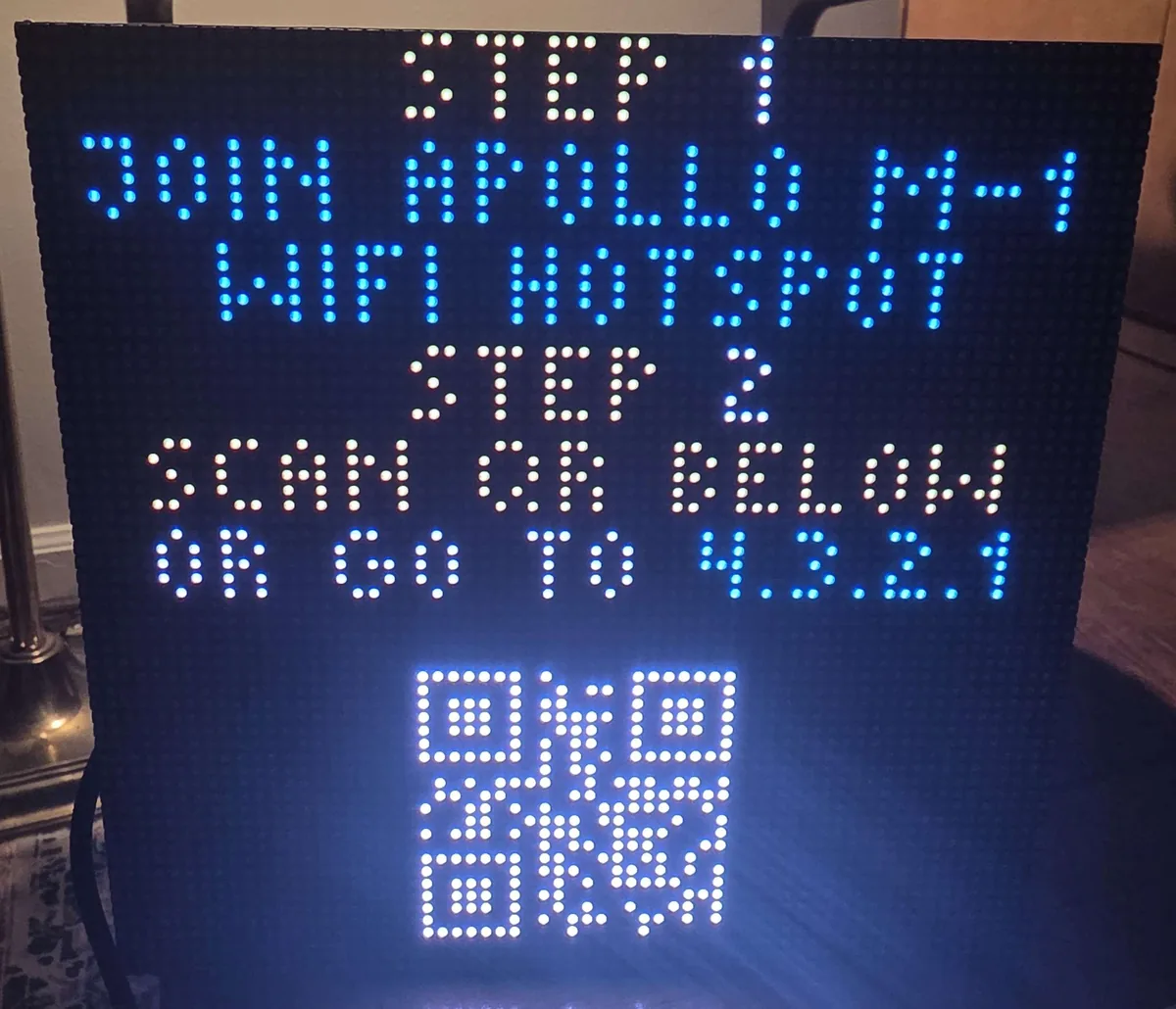
1. On your phone or laptop, open the Wi-Fi list and join the open network named Apollo M-1. There is no password out of the box, though you should set one once you are up and running. (1)
- Your phone may warn that the network has no internet and ask whether to stay connected. Choose to stay connected. Mobile data can stay on, though apps that need the internet may stall until you leave the network again.
2. Point your camera at the QR code on the panel and tap the link. Your browser opens the M-1's control page. (1)
- No camera? Open any browser and go to http://4.3.2.1, printed on the card too. That address works any time you are on the M-1's own network.
From the control page you get everything: presets, effects, scrolling text, Pixel Paint, and GIF upload through Pixel Forge, all without the M-1 ever touching a network.
Put a password on the hotspot
The hotspot ships open so that first setup is painless, which also means anyone in range can join it and take over your panel. (1) Set a password once you are up and running, and certainly before the M-1 spends a day anywhere public.
- Someone who joins cannot reach the rest of your home network, since the M-1's hotspot is not connected to anything. What they can do is change your colors, effects, and presets, and upload their own images.
1. With your phone or computer joined to the Apollo M-1 network, open http://4.3.2.1.
2. Go to Config, then WiFi Setup.
3. Scroll to the Configure Access Point section at the bottom of the page.
4. Enter a password of at least 8 characters, then select Save & Connect.
5. Re-join the Apollo M-1 network, entering the password this time.
Write the password down before you leave this page
If you forget the hotspot password while the M-1 is not on a Wi-Fi network you can reach, there is no way back into the settings. Recovering it means a factory re-flash, which wipes your presets and images.
Good to know
The setup card only shows while the M-1 has no Wi-Fi configured. Once you connect it to a network it boots straight to the Apollo dog instead, and you reach it at its normal address. (1)
- You can bring the card back any time from the preset list, where it is saved as Setup.
The hotspot stays available as a fallback. If the M-1 ever cannot reach the Wi-Fi network it was set up on, it opens its own hotspot again and 4.3.2.1 works as above. That is why a hotspot password is worth setting even if the M-1 normally lives on your Wi-Fi.
Upload GIFs from a browser, not the WLED phone app
The WLED app's file picker grays out image files, so GIF upload from the app does not work. This is a bug in the app itself, not the M-1. Scan the QR code or go to 4.3.2.1 in any browser and use Pixel Forge instead.