Reflashing the CAST-1
Use this to put your CAST-1 back on the latest factory firmware.
Reflash if your device becomes unresponsive and you've exhausted the other troubleshooting methods, or to get onto the latest firmware.
1. Plug a USB-C cable that supports power and data into your computer and connect the other end to your CAST-1.
2. Locate the boot and reset buttons on your CAST-1. (1)
- Prefer to boot with a single button? Follow Method 1 on the Boot Mode page instead.
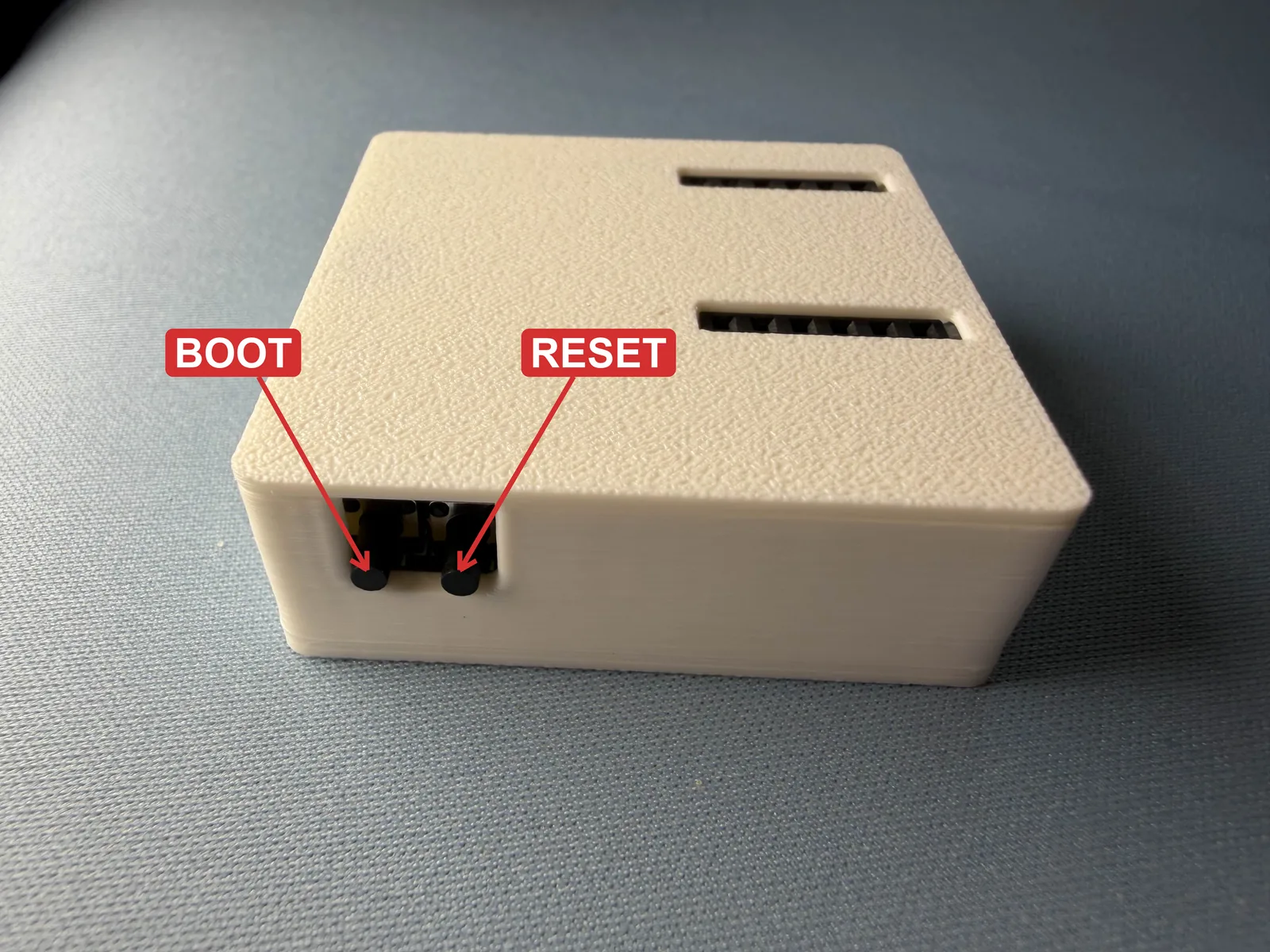

3. Put your CAST-1 in boot mode. Use both buttons, in this order:
- Press and hold the boot button (on the left). Keep holding it.
- While you're still holding boot, press and release the reset button (on the right).
- Let go of boot.
Keep holding boot the whole time
Pressing reset by itself only restarts the CAST-1. It goes into boot mode only when boot is held down while you press and release reset.
4. Open the Apollo CAST-1 Installer.
5. Click Connect & Install. In the browser popup, select USB JTAG/serial debug unit and click Allow. When the installer opens, click Install to flash the firmware, then click Install again to confirm.
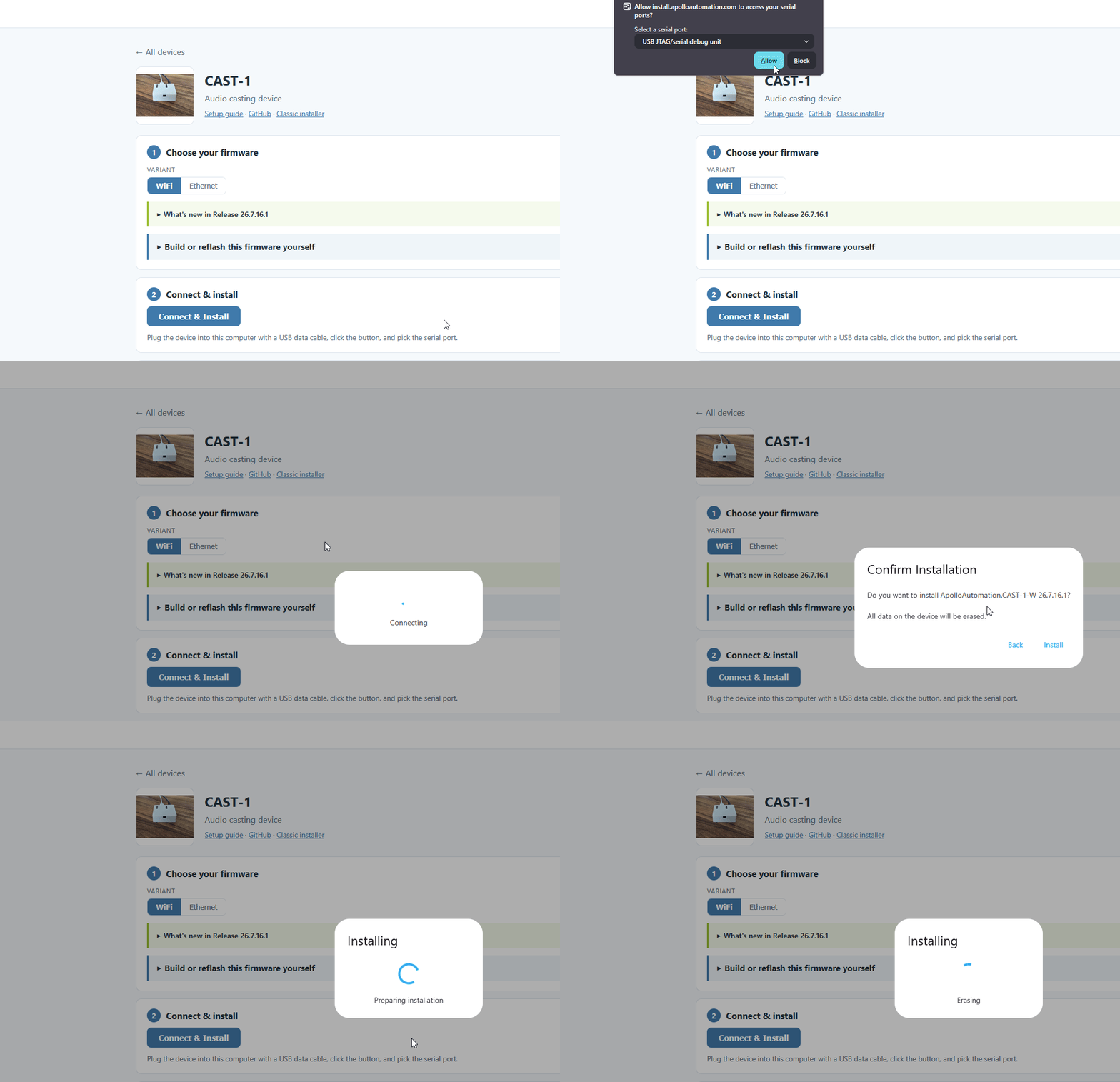
6. Once you see "Installation complete!" you are finished. Click Next then close out of the browser window.
Power cycle your device before doing anything else!
Your device is still in boot mode and needs to be power cycled, meaning power removed, to make it boot in a normal mode!
Head to the Getting Started article to set up your CAST-1 as a new device!