Turn Your Starter Kit into a Bluetooth Proxy
Home Assistant can talk to Bluetooth devices directly, but only ones close to the machine it runs on. A Bluetooth proxy fixes that. Your starter kit's ESP32-C6 listens for nearby BLE devices and relays them back to Home Assistant over Wi-Fi, so a sensor two rooms away shows up as if it were sitting next to your server. Drop a few of these around the house and Home Assistant gets Bluetooth coverage everywhere.
Adding one used to mean a block of YAML. Now it's a single line, and Device Builder can add it for you.
Before you start
Work through this first:
- First Steps to install ESPHome Device Builder and create your starter kit device.
Your device also needs to be on Wi-Fi and adopted in Home Assistant so the proxy has somewhere to send what it hears.
Add the Bluetooth proxy
Device Builder has an Add Component flow that drops the proxy into your config for you, no typing required.
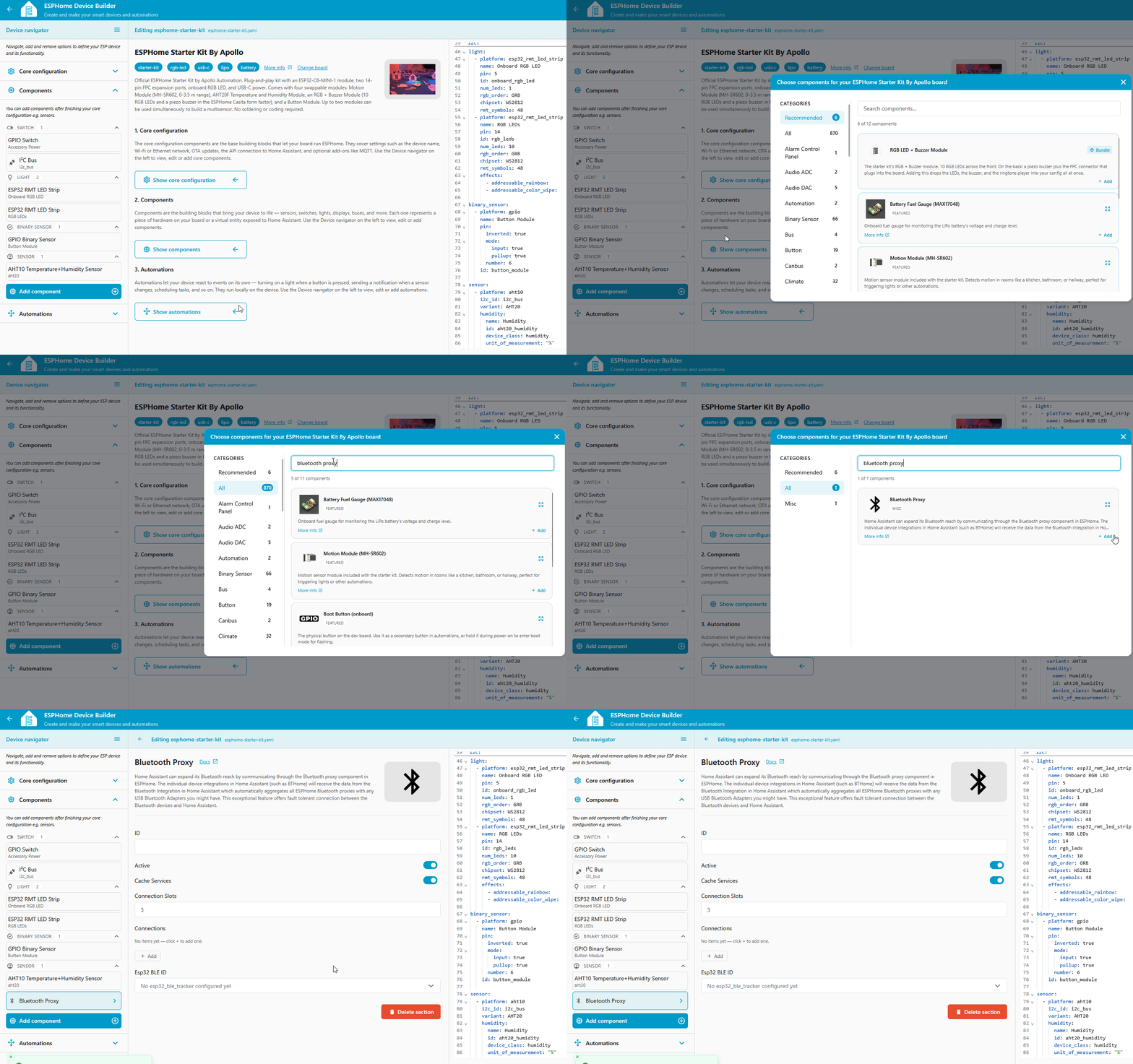
- Open your starter kit device in ESPHome Device Builder and click Edit.
- Click Add Component in the editor toolbar.
- Search for Bluetooth Proxy and select it.
- Click Add. Device Builder inserts the proxy into your YAML.
Prefer to add it by hand? Here's the YAML
If you'd rather edit the config directly, open the editor and add this one line anywhere at the top level:
That's it. Active connections are on by default, and bluetooth_proxy automatically pulls in the ESP32 BLE Tracker it needs, so you don't have to add anything else.
You only need to add a second esp32_ble_tracker: line if you want to explicitly set passive scanning:
Install the software
The proxy is saved in Device Builder, but the device is still running its old software. Compile and install to push the change.
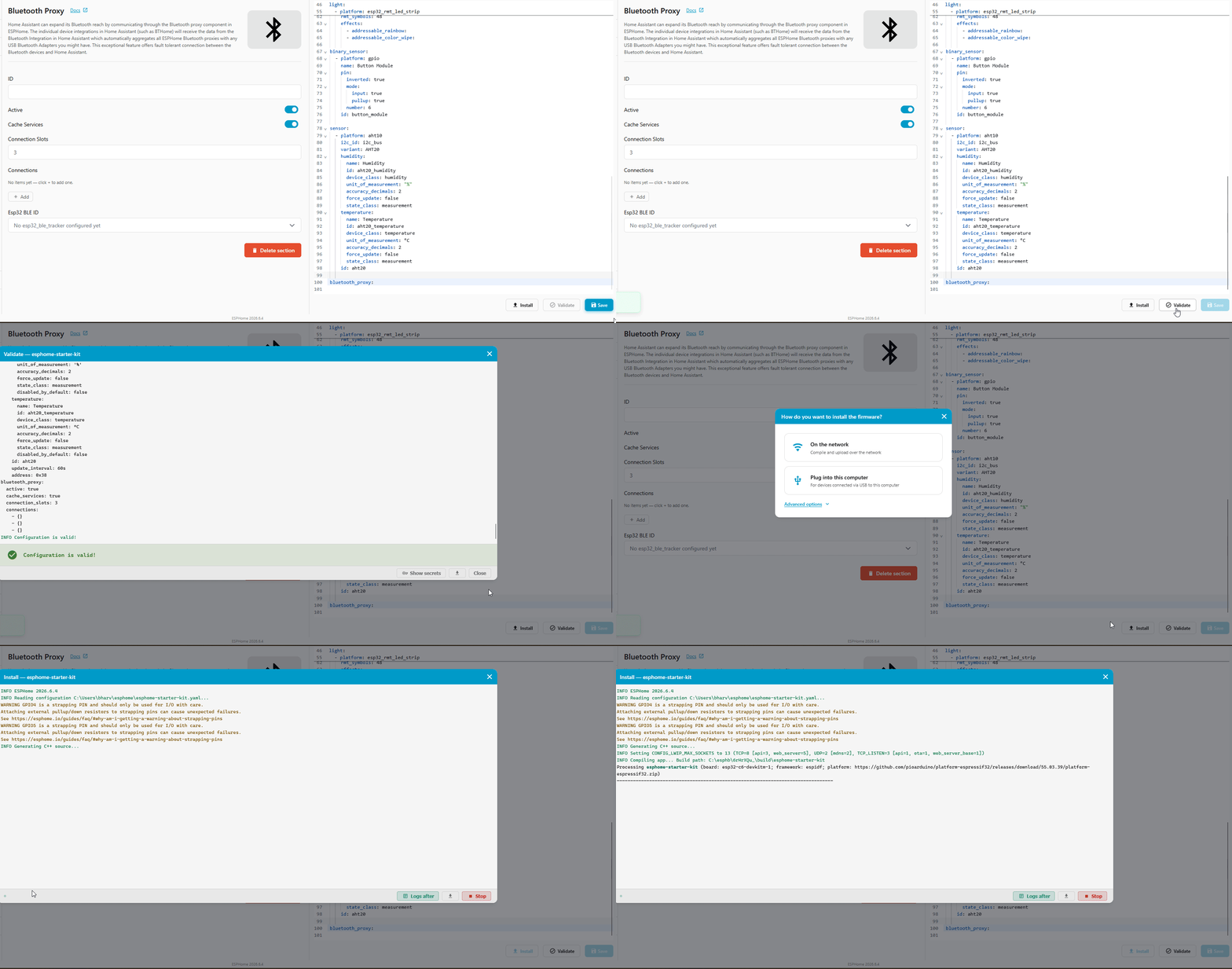
- Click Save in the bottom right of the editor.
-
Click Install, then pick On the Network to push the new software over Wi-Fi. (1)
- We say software because it's the friendlier word. The technically correct term is firmware: code that runs directly on the chip instead of on a computer. That's the word ESPHome's own docs use.
-
Wait for the compile and flash to finish. The device reboots once the install is done.
Verify it works
Once the device reboots, Home Assistant picks up the proxy on its own.
- Open your ESPHome device in Home Assistant. If you haven't adopted it yet, follow Connect to Home Assistant first.
- Home Assistant detects the new Bluetooth proxy and offers to set it up. Accept the prompt.
- Open the Bluetooth advertisement monitor to watch the BLE devices your starter kit is picking up in real time. Anything in range shows up here, ready to add under Settings → Devices & Services → Bluetooth like any other device.
New to ESPHome? We're here to help.
Stuck on a step or want to show off what you built? Ask questions and share projects with the Apollo community.