Adding Apollo devices to hidden networks
Your Apollo device can only join a Wi-Fi network with a hidden SSID after you turn on fast_connect in its ESPHome configuration. You add one line to the device's YAML in ESPHome Device Builder, then install the updated firmware wirelessly.
Before you start
You need ESPHome Device Builder. If you don't have it installed, install ESPHome Device Builder first, then come back to step 1.
1. Open ESPHome Device Builder.

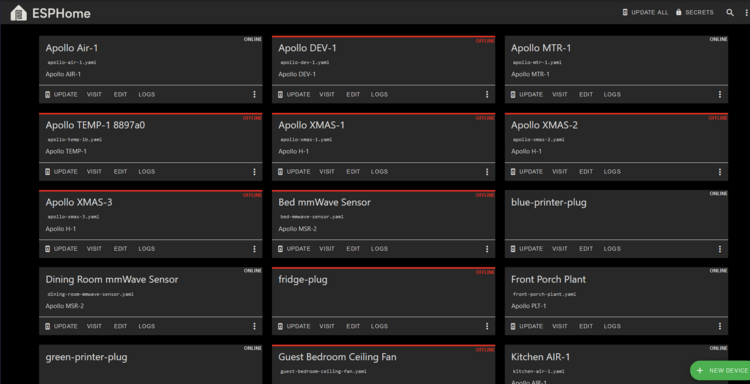
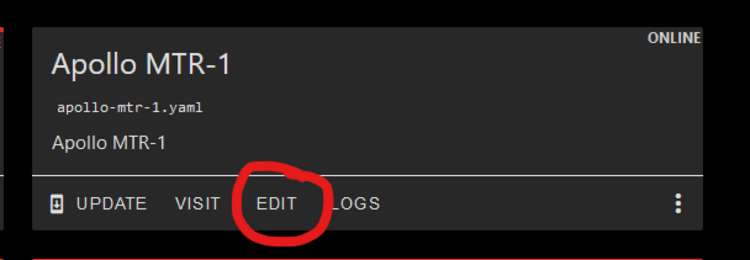
2. Click Edit on your Apollo device's card.
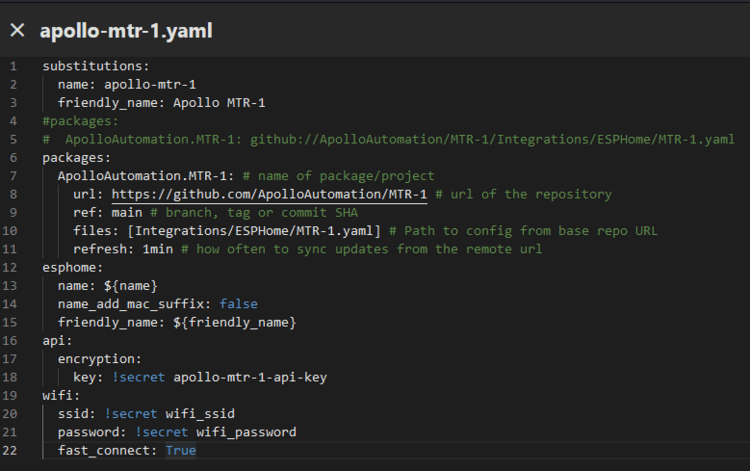
3. Copy this line:
4. Paste it on a new line at the end of the wifi: block, indented two spaces like the other lines in that block, as shown below. If any of the code is underlined in red, check that your spacing matches.
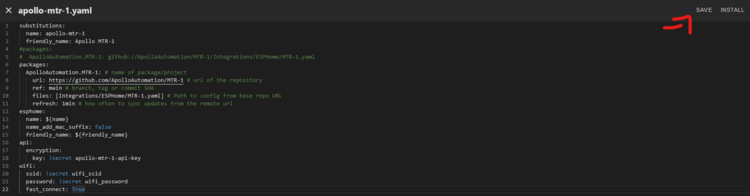
5. Click Save, then Install in the top right.
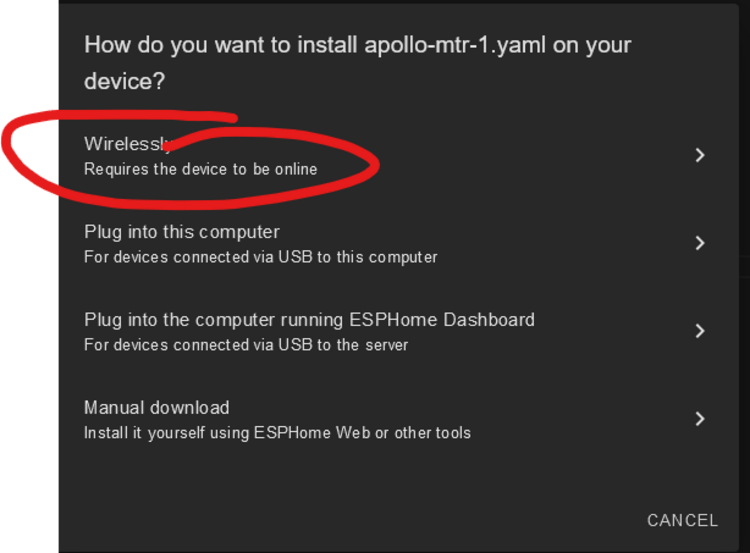
6. Click Wirelessly and wait while the firmware compiles and installs.
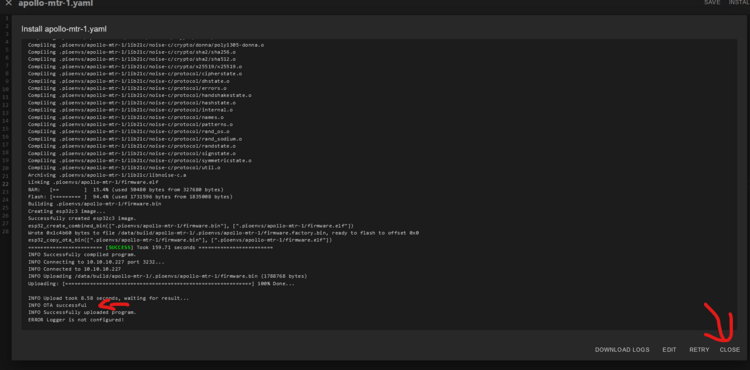
7. When the log shows OTA Successful, the install is finished. Click Close in the bottom right.
Your Apollo device can now connect to your Wi-Fi network with a hidden SSID.
Know the tradeoff before you rely on it
With fast_connect on, your device connects to Wi-Fi directly without doing a full scan first. That's what makes hidden networks work, and it can significantly improve connection times. The downside is that it connects to the first network the ESP sees, even if that network is very far away and better ones are available. The option defaults to off. Read more about the downsides of fast_connect in the ESPHome docs.