How to edit your sensor's CO2 update interval
This guide will show you how to edit the CO2 updates down to 5 seconds, which is the fastest the SCD40 sensor supports. This is useful for use-cases that benefit from smoother graphs or quicker reaction to CO2 changes, such as grow rooms, offices, or sleep spaces.
Your sensor is defaulting to 60 seconds for updates to the state of the CO2 sensor.
This is the default for all ESPHome devices using the SCD40 because it uses less Wi-Fi airtime fairness and writes less to your Home Assistant Database. 5 seconds is the minimum. The SCD40 hardware cannot produce a new reading faster than that.
Sensor response time
Even at a 5 second update interval, the SCD40 itself takes roughly 90 seconds to fully reflect a real change in CO2 levels in the air. The number on your dashboard will refresh every 5 seconds, but a true spike (for example, someone walking into the room) will ramp in over a couple of minutes. That is normal sensor behavior, not a configuration issue. See the Sensirion SCD4x datasheet for full specs.
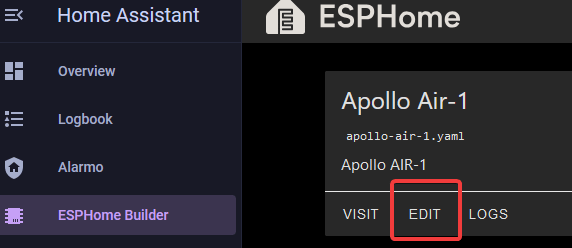
1. Select the ESPHome Builder in the sidebar then click "EDIT" on the device you want to change.
2. Copy this code and enter it exactly as shown in the next step. Make sure there are no extra spaces or any other characters. It needs to look exactly like the example in the next step.
3. Paste the code you copied in step 2 below your sensor's existing yaml.
4. In the top right of the same screen click "SAVE" and then "INSTALL".
5. Once you see "INFO OTA successful" you are done. Click "STOP" to exit.

6. Once that is finished your sensor should now be reporting CO2 at your new update_interval such as 5 seconds!