CO2 calibration
Your sensor calibrates itself
The latest Apollo firmware enables the SCD40's automatic self-calibration by default on every device with the CO2 sensor (AIR-1, R PRO-1, MSR-2, and MTR-1). As long as the sensor sees fresh air (about 420 ppm) at least once a week, it corrects its own baseline and you never need to calibrate manually. Airing out the room once a week is enough.
If your device sits in a space that rarely gets fresh air (a sealed office, a basement, a grow room), automatic self-calibration will slowly drag the readings down. Turn off the CO2 Auto Calibration switch in your device's settings and calibrate manually with the steps below instead.
Calibrate manually every 1 to 2 years when auto calibration is off
The SCD40 CO2 sensor has a long lifetime (over 10 years), but with automatic self-calibration turned off it needs re-calibration back to the 420 ppm baseline every 1 to 2 years.
You'll take your sensor outside into fresh air and calibrate it from its settings in Homey.
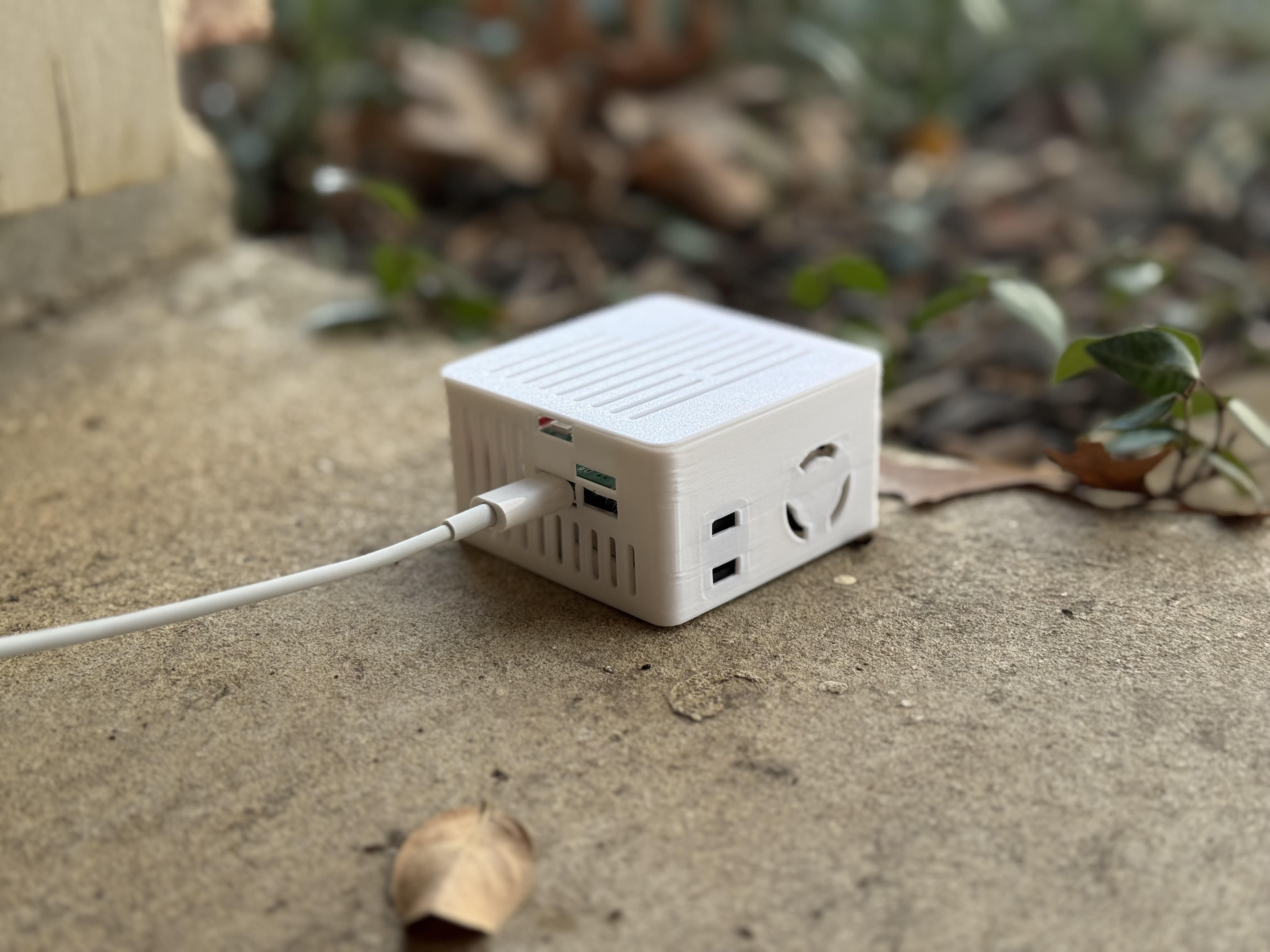
1. Bring your sensor outside and plug it in. You might need a USB battery bank if you live in an apartment or otherwise cannot get power outside of your building.
2. Open your Homey app or desktop browser and navigate to the Homey Dashboard.
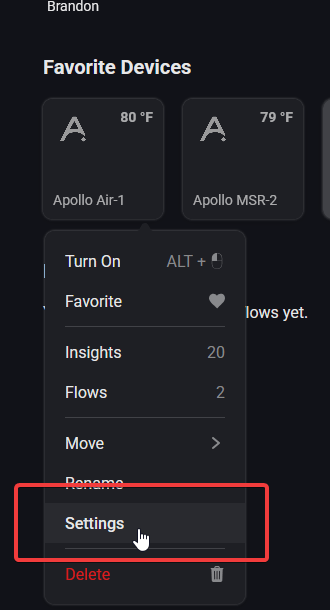
3. Navigate to your device, such as via the "Favorite Devices" section and right click (or on mobile short hold) then click on Settings.
4. Scroll down until you see "Maintenance" and select it on mobile, then click on "Calibrate SCD40 to 420ppm" and you should see the CO2 readings at 420 ppm or near it.
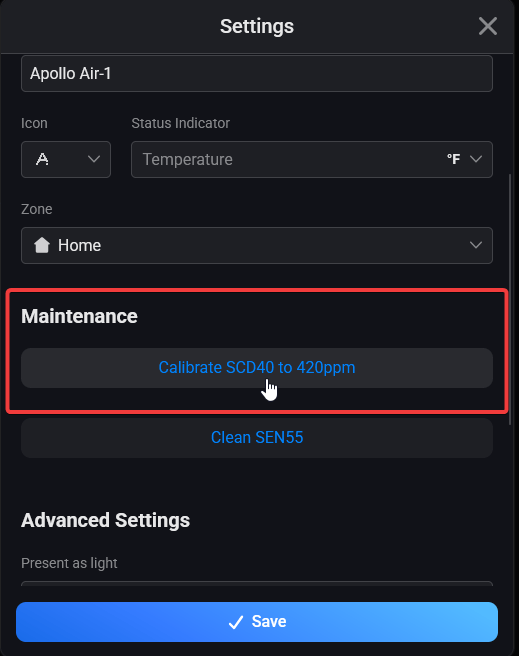
It might take several attempts clicking the "Press" button for it to equalize correctly. If you don't see the SCD40 reporting 400-500 ppm then click the button again.
5. Now your CO2 sensor should be calibrated! Be sure to set up some nice flows and check out the insights so you can monitor the CO2 levels.
Dangerous CO2 level considerations
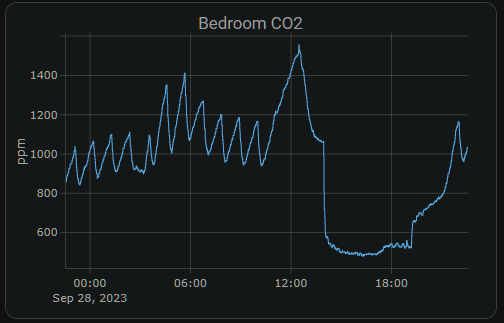
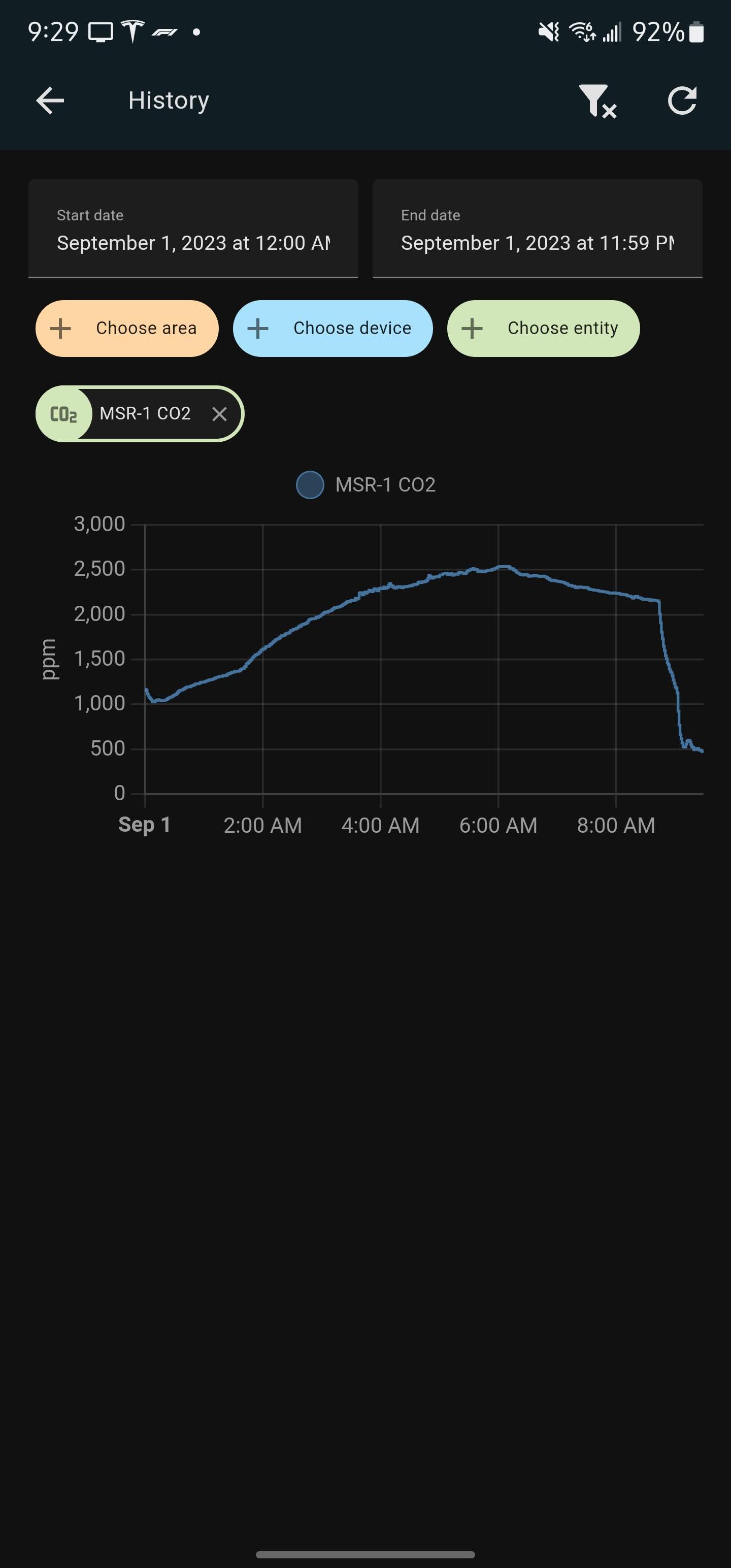
CO2 levels in a closed, unventilated bedroom can quickly rise to concentrations that may impair focus or even pose health risks.
Note the steep decline in CO2 ppm detected due to the door and window being opened and fan turned on.
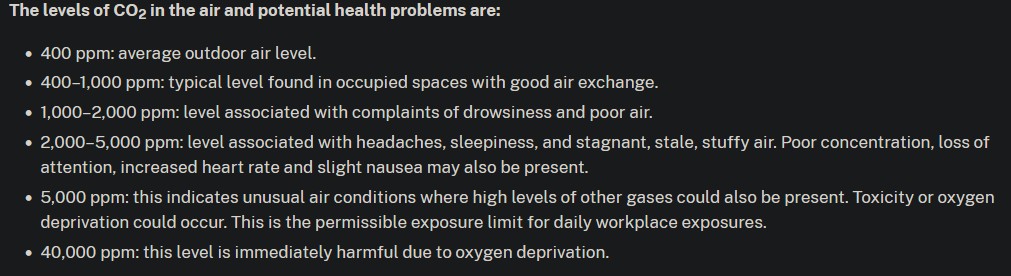
Wisconsin Department of Health CO2 Level Chart
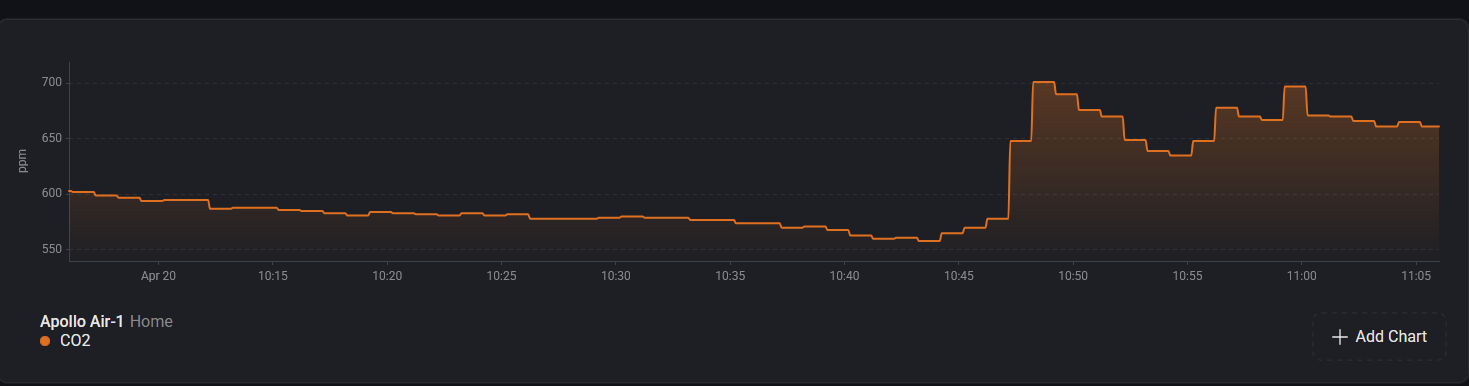
CO2 levels dropping due to HVAC Fan on a schedule
This could be improved by increasing air exchange to get below 1000 ppm for a safer environment.