ESPHome Starter Kit FAQ
1. What is the ESPHome Starter Kit?
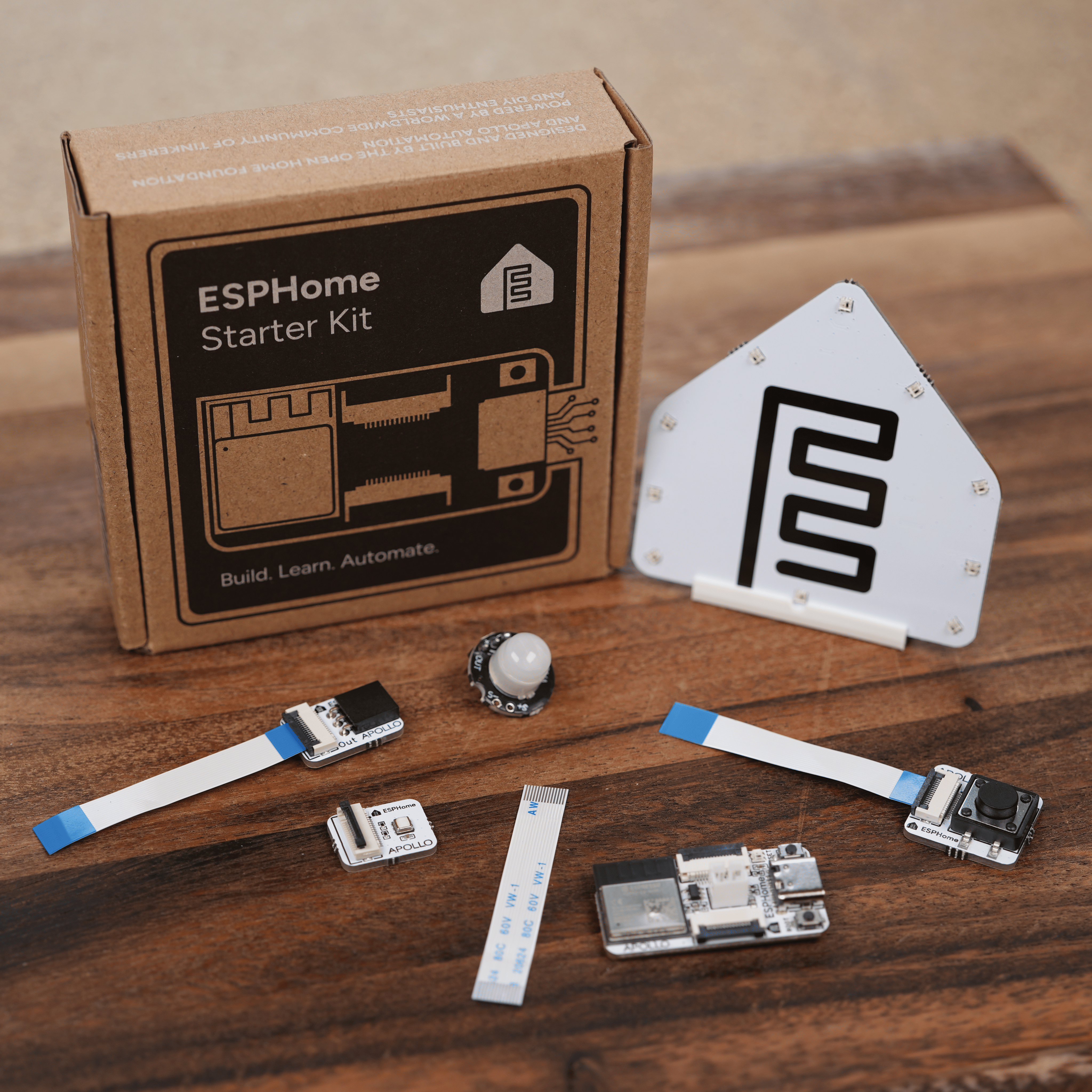
- The ESPHome Starter Kit is the first official kit for learning to build your own smart home devices using ESPHome. Designed and engineered by Apollo Automation in partnership with the Open Home Foundation, it pairs the modern ESP32-C6 chip with snap-together modules that connect with a single ribbon cable. No soldering, breadboards, parts sourcing, or code required.
2. Do I need to know how to code?
- No. The kit is configured through ESPHome Desktop, a free download for Mac, Windows, and Linux that handles every step through a simple visual interface. Users who want to learn YAML directly can do so at any time.
3. Do I need to solder anything?
- No. Every connection in the kit is made with a single FPC ribbon cable. No breadboards, no jumper wires, no solder joints.
4. Which way does the ribbon cable go in?
- Insert the ribbon cable with the blue side facing upwards (blue side to the sky), so the exposed metal contacts face the pins inside the FPC connector. Flip up the latch, slide the cable in straight until it seats, then press the latch back down to lock it. The latches are small and the cable is fragile, so lift the latch with a fingernail and never pull on the cable itself.
5. Does it require Home Assistant?
- No. The ESPHome Desktop app runs as a standalone download on Mac, Windows, and Linux, so you can build with the kit without installing Home Assistant or running a server first. The devices then work as standalone ESPHome devices over Wi-Fi, reachable at their
.localhostname, and integrate with Home Assistant whenever you want to add it. Home Assistant finds them automatically over mDNS. See Connect to Home Assistant when you are ready.
6. Can the kit run on battery power?
- Yes. The ESP32-C6 supports a rechargeable 3.7V LiPo battery that charges over the same USB-C cable, so the kit can be deployed cable-free around the home. See Adding the Battery for how to connect it.
7. What is the ESPHome Desktop app?
- ESPHome Desktop is the free, open source desktop version of the ESPHome Device Builder. It runs on Mac, Windows, and Linux. For the first time, new users no longer need to install Home Assistant first, set up a Raspberry Pi, or run a server to use ESPHome. Download it, plug in the kit, and a guided setup walks you through the rest. Open esphome.io/install to download the latest release for your operating system, then follow First Steps to set up your first device. For a deeper look at how ESPHome and the app fit together, see Explaining ESPHome.
8. What can I build with it?
- By the end of the included learning path, you will have built four working devices: a motion sensor, an environment monitor (temperature and humidity), a button trigger, and a notification light. Two modules can run on the ESP32-C6 at the same time, turning the kit into a multi-purpose sensor for any room. Beyond the lessons, every skill carries straight into the wider ESPHome ecosystem.
9. What happens when I am "done" learning?
- Every module is built to last and designed to keep working long after the lessons end. Unlike most learning kits, where the hardware ends up in a drawer, the ESPHome Starter Kit's modules become real, useful smart home devices that earn a permanent place in the home.
10. Does the kit support Zigbee?
- The kit officially supports Wi-Fi, Bluetooth LE, and Thread. The ESP32-C6 chip inside also has Zigbee at the hardware level, so it is possible at the chip level for advanced users who want to experiment, though it is not part of the supported out-of-the-box experience.
11. Does it require a cloud service or account?
- No. Everything runs 100% locally. No cloud, no account, no subscription, no telemetry. Your data stays in your home, and what leaves it is only what you choose to share.
12. How does this connect to the Open Home Foundation?
- Apollo Automation is a commercial partner of the Open Home Foundation, the non-profit that owns and stewards ESPHome, Home Assistant, and over 250 other open source projects. The majority of profits from every ESPHome Starter Kit are contributed directly to the Open Home Foundation, funding the long-term development of the open source smart home and its founding principles of privacy, choice, and sustainability.
13. What is the difference between this and other ESP starter kits?
- Other kits typically focus on broad electronics learning with breadboards and individual components. The ESPHome Starter Kit is purpose-built for smart home device construction, uses a solder-free ribbon-cable system, and is paired with the ESPHome Desktop app and a learning wiki that bridges into the wider ESPHome ecosystem. Most learning kits end with the lessons. The ESPHome Starter Kit's modules are designed to keep working as real smart home devices long after the kit is finished.
14. Why a ribbon cable instead of a breadboard?
- Breadboards and jumper wires are the most common source of frustration for new builders: loose connections, wrong pins, wires that pop out. The ESPHome Starter Kit uses a single FPC (flexible printed circuit) ribbon cable that connects each module to the ESP32-C6 in seconds. Every connection is identical, foolproof, and reliable. Components snap together and stay together.
15. Why the ESP32-C6 chip?
- The ESP32-C6 is a modern microcontroller from Espressif that brings Wi-Fi, Bluetooth LE, and Thread support to a single chip. It is the same family of silicon used in commercially certified smart home products, and gives learners a future-ready platform that supports the same open standards used in production smart home devices.
16. Why won't my LEDs light up, my buzzer play, or my module respond?
- Check the Accessory Power Rail first. The Onboard RGB LED and every module get their power from it, so if your project doesn't include it, or its Accessory Power switch is off, they don't get enough power to work. Projects created from the ESPHome Starter Kit board include the rail and turn it on at boot. If yours is missing it, see Accessory Power Rail to add it back.
Click here to join our Discord for fast support!
New to ESPHome? We're here to help.
Stuck on a step or want to show off what you built? Ask questions and share projects with the Apollo community.