SendSpin
SendSpin is an open standard for syncing music across multiple devices. Although this is primarily used by music players like HomePods or the HA Voice PE, the Apollo M-1 LED Matrix can display your album art automagically. Pairs well with the M-1 running the hub75-studio ESPHome firmware. Further, when paired with a WizMote, you're able to do things like turn the panel on/off, control the volume (buttons 1 and 2), pause/play, previous/next track (buttons 3 and 4), and brightness. This remote support requires editing the YAML at this time but will be getting easier soon!
Your device needs to be running the ESPHome firmware to use Sendspin.
A stock M-1 LED Matrix runs WLED (new units ship with WLED 16.0.1; older units shipped with WLED-MM). You will need to follow this tutorial to switch to the ESPHome firmware!
1. You will need to be running Music Assistant which has Sendspin baked in! Click the button below to install it on your Home Assistant OS setup.

This tutorial expects you to already have music providers and players set up.
Make sure you have already followed the Music Assistant onboarding and set up a music provider or multiple and added some players to play music on. Your M-1 will already be shown as a Sendspin player if you are running the ESPHome firmware. Click here to get your M-1 running ESPHome firmware first!
2. Open Music Assistant from your Home Assistant sidebar and select one of your media players. Then click the players icon then click the players icon again and check off your Apollo M-1 LED Matrix.
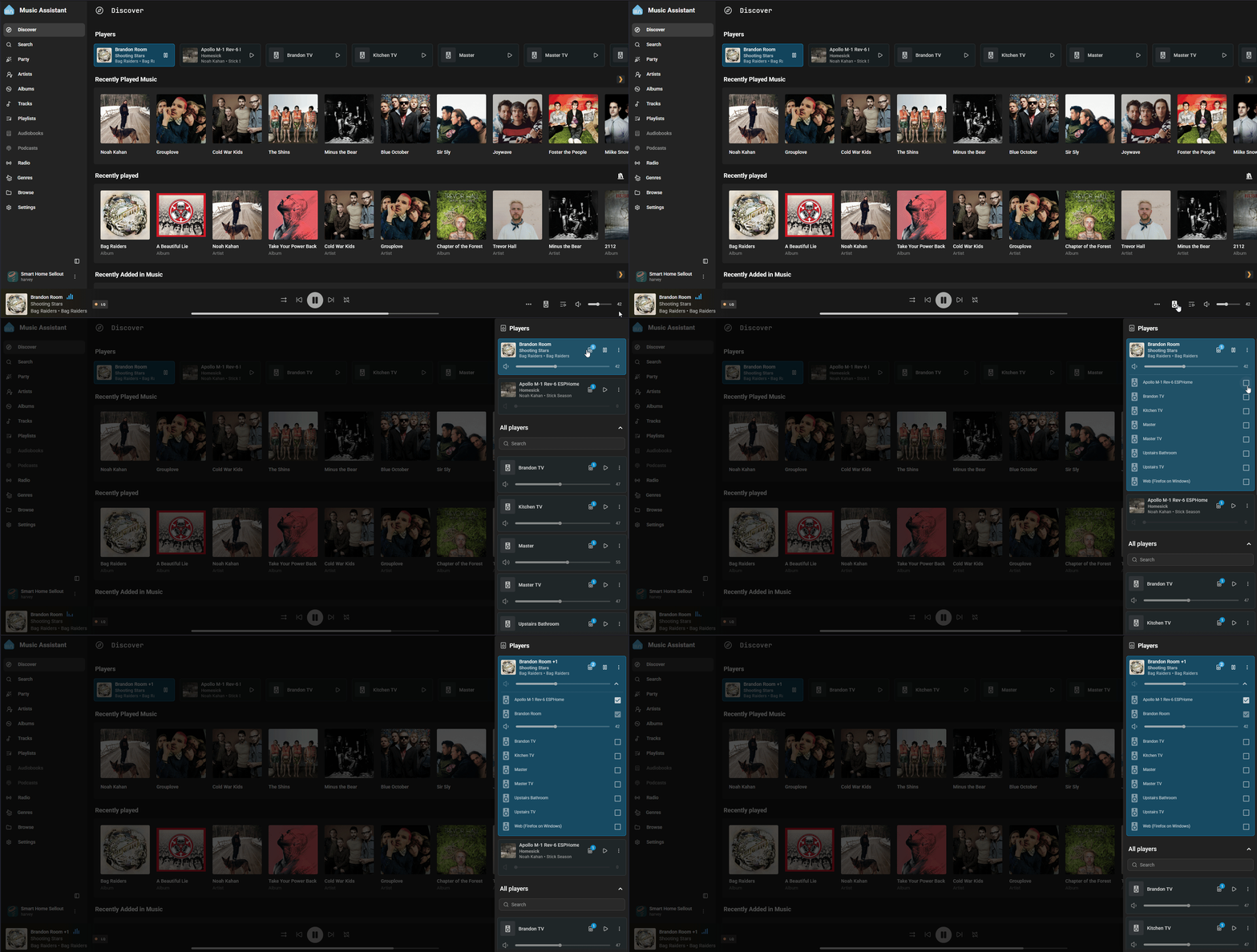
That is it. Play something and the matrix picks up the album art and the track title on its own, switching over every time the song changes.