Ubiquiti UniFi mDNS auto discover issue
If mDNS is unchecked then Home Assistant and ESPHome will not auto discover new devices
If your Home Assistant (or Homey) hub and your ESPHome devices are on different networks, you need mDNS working across both networks and firewall rules that allow traffic between them. Below are guides for fixing this from your PC or the UniFi mobile app.
Method 1: Browser
You can turn on Multicast DNS for your Default Network from a browser on your PC.
1. Log into your UniFi network through your default IP address which is usually http://192.168.1.1
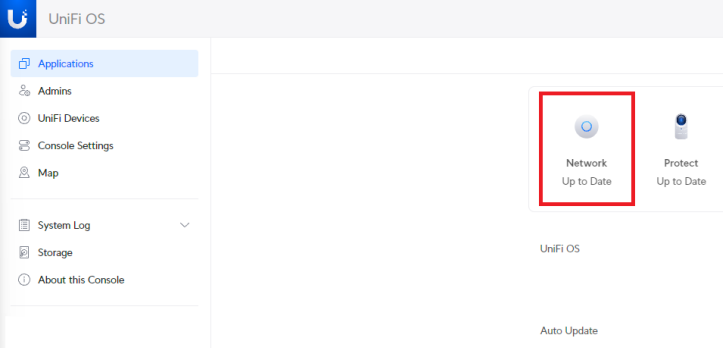
2. Select Network.
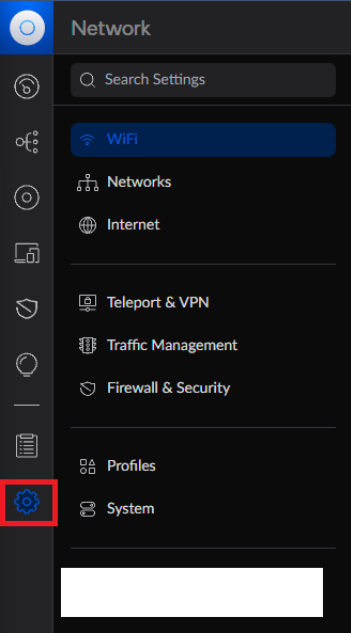
3. Select Settings.
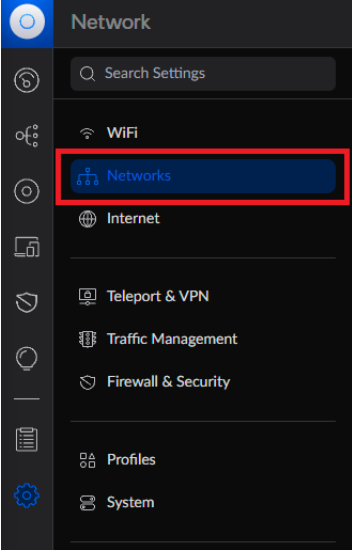
4. Select Networks.
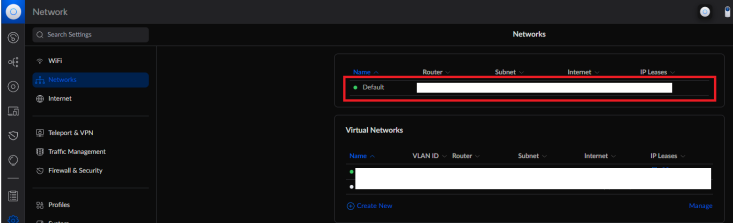
5. Select the Default Network
6. Check Multicast DNS
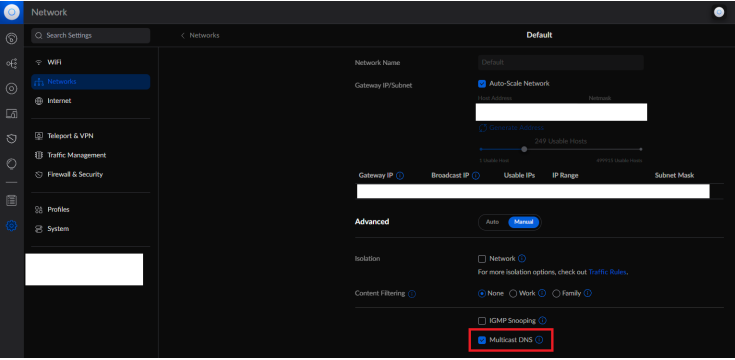
7. Now the Home Assistant/ESPHome auto-discover issue should be fixed!
Method 2: UniFi mobile app
You can also turn on Multicast DNS for your Default Network from the UniFi mobile app.
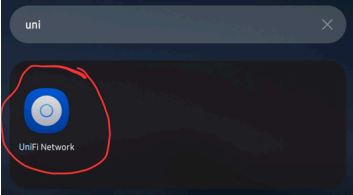
1. Open the UniFi app.
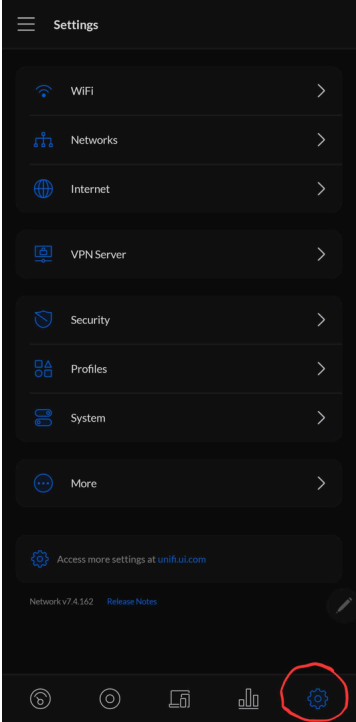
2. Tap Settings/Gear Icon
3. Tap Networks
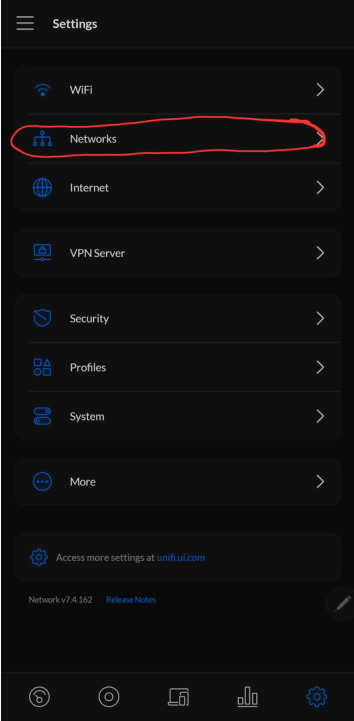
4. Tap Default Network
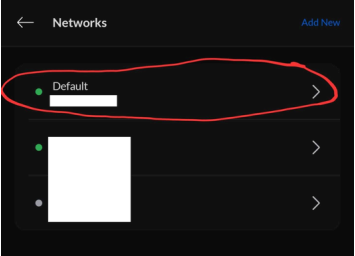
5. Tap the Multicast DNS slider
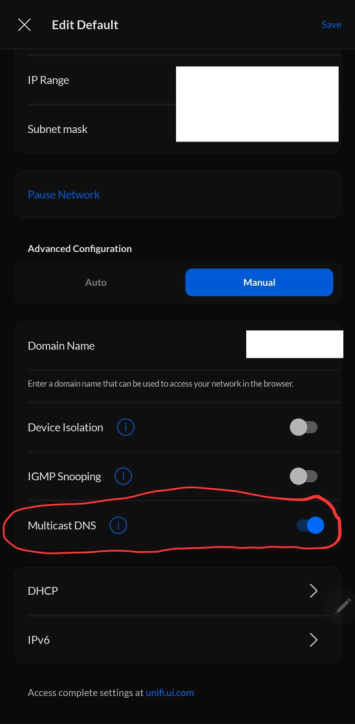
6. Now the Home Assistant/ESPHome auto-discover issue should be fixed!