Getting started
Follow these steps to power up your ornament, play its pre-loaded songs, and optionally add it to Home Assistant.
1. Powering On the H-2

Insert a rechargeable RC-CR123A (16340) battery, preferably an 850 mAh model like the one available in our store. A normal CR123A will not work!
2. Turning On the Ornament
If the device is in sleep mode, press one of the gold buttons on the back to wake it.
3. Play Holiday Songs
After the ornament is awake, press one of the four gold buttons to play a pre-loaded song. The buttons are on the back of the H-2, one at the tip of each side arm.
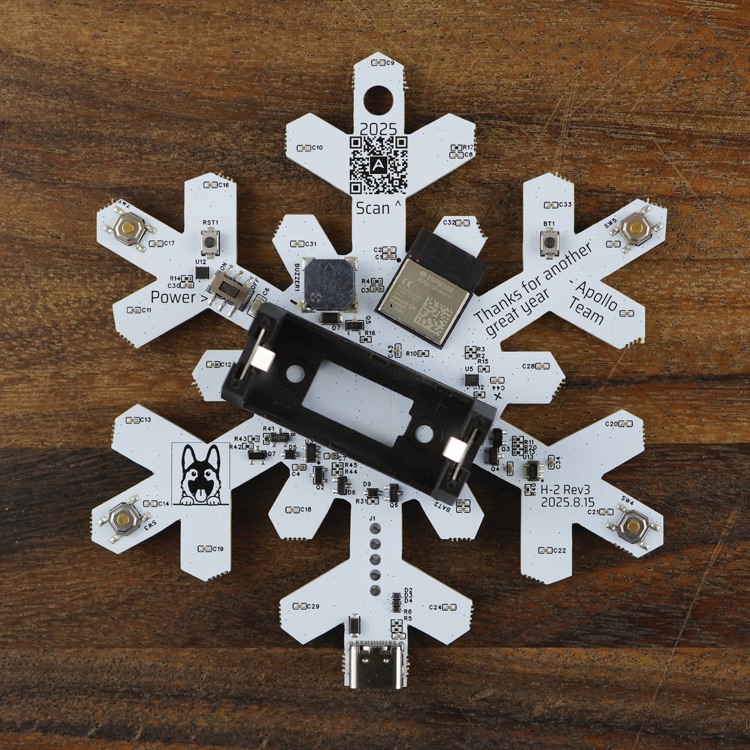
Each button plays one of these songs:
- Button 1: Jingle Bells
- Button 2: Rudolph the Red-Nosed Reindeer
- Button 3: Let It Snow
- Button 4: Blue Christmas
4. Add to Home Assistant (Optional)
For additional customization, you will need to put the H-2 in boot mode then flash the smart firmware from the Apollo H-2 installer (choose Smart (Wi-Fi)) and finally connect to Home Assistant following the setup guide. With Home Assistant you can add new songs, change LED effects, and create custom automations.
5. Enjoy Your Ornament
Hang the H-2 on your tree, place it on a mantel, or incorporate it into any holiday setup for added joy. Your Apollo H-2 is now ready to spread holiday cheer! Enjoy the festive tunes and LED effects, and feel free to share your unique setup with us in the community!