Putting the PLT-1B in boot mode
This will cover how to put the PLT-1B into boot mode.
This is needed to force the device into boot mode to reflash the firmware.
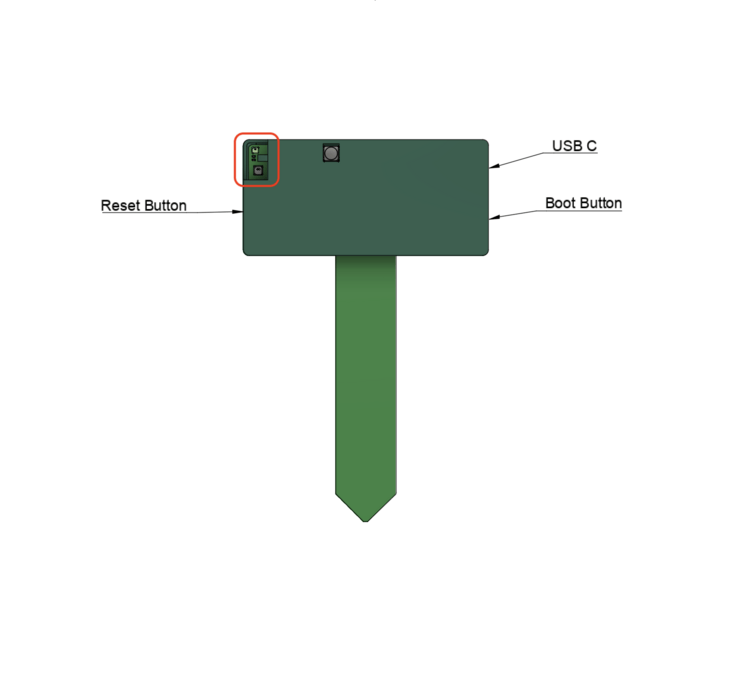
Method 1: Boot button only
You can put your device into boot mode with only the boot button and a pin.
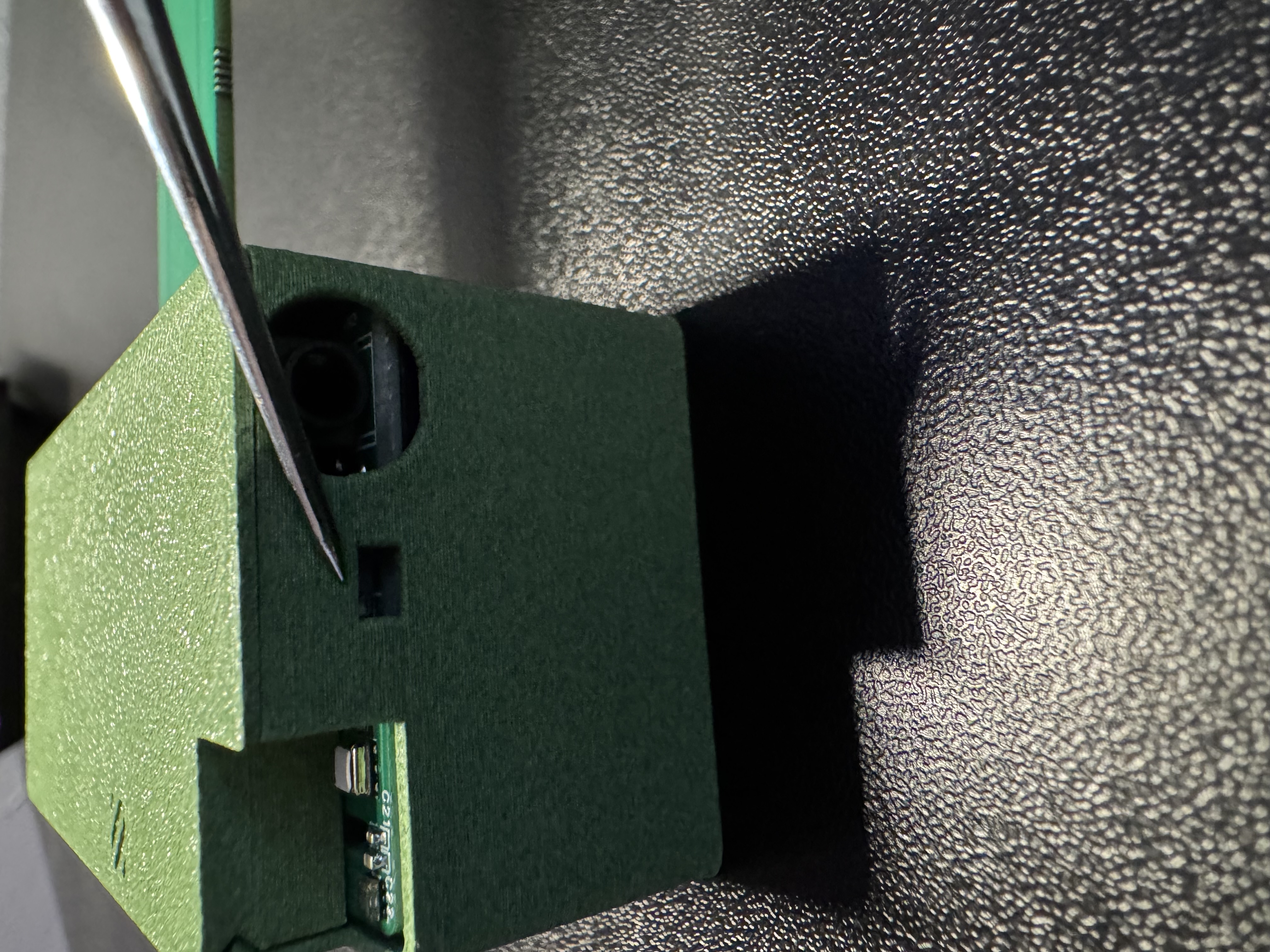
1. Position the PLT-1B as shown in the image below and locate the small opening to press the boot button.
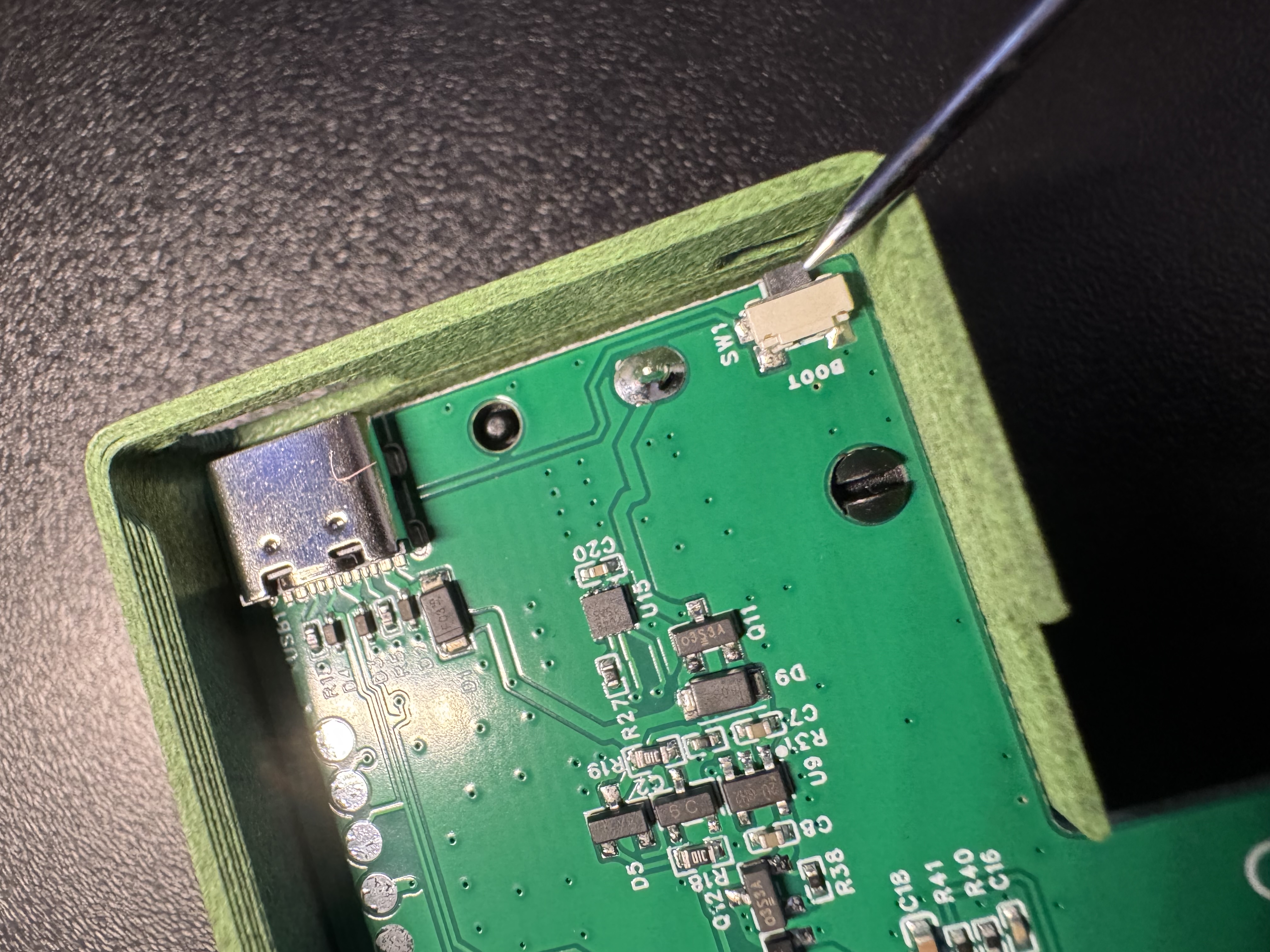
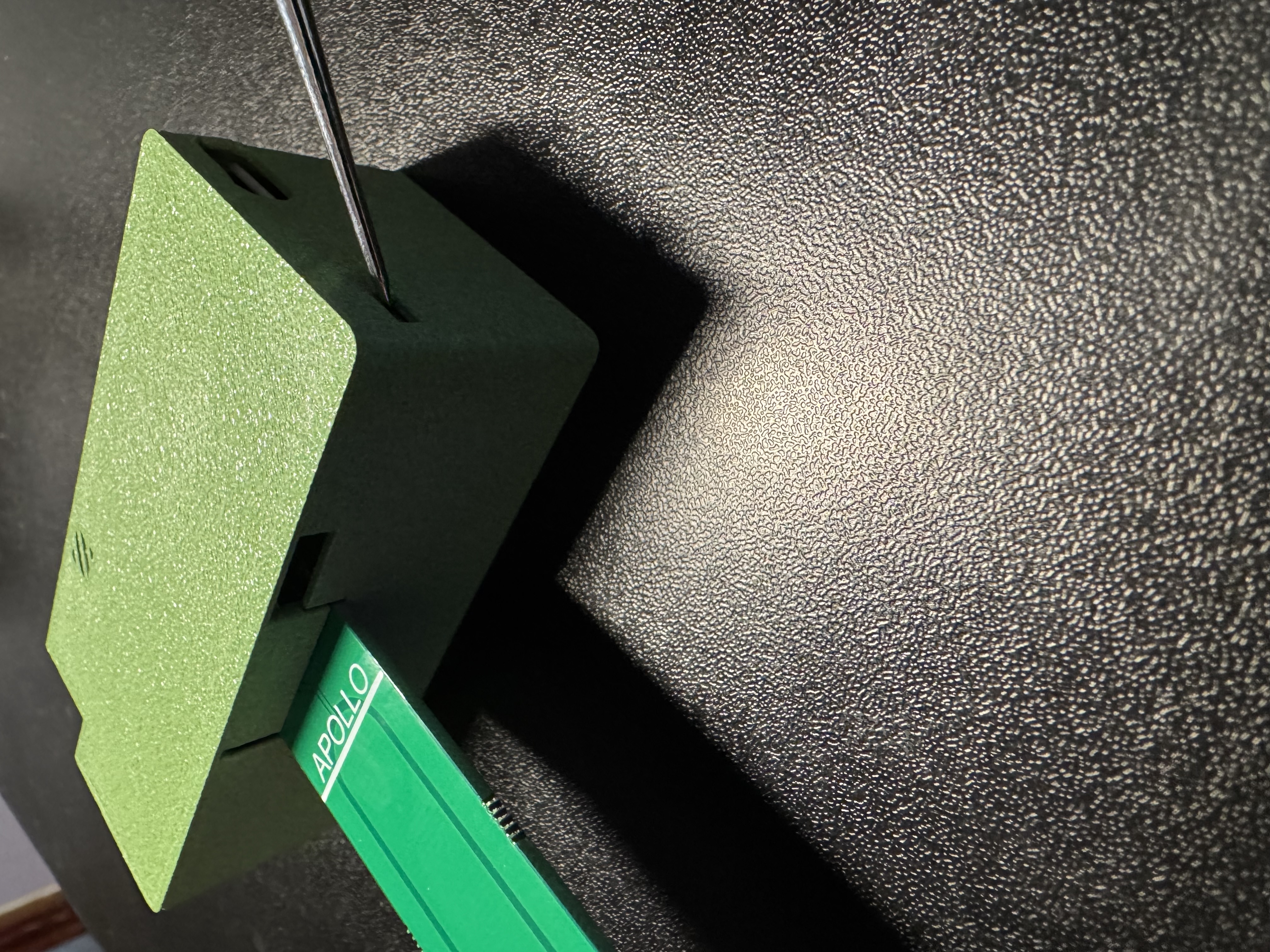
2. Use a pin to press and hold the boot button, while holding the boot button plug the PLT-1B back into your computer/power and then release the boot button
3. Continue with uploading the firmware
Method 2: Boot and reset buttons
You can also put your device into boot mode by pressing the reset button while you hold the boot button.
1. Plug in the device
2. Press and hold the boot button, while holding it press and release the reset button, then release the boot button
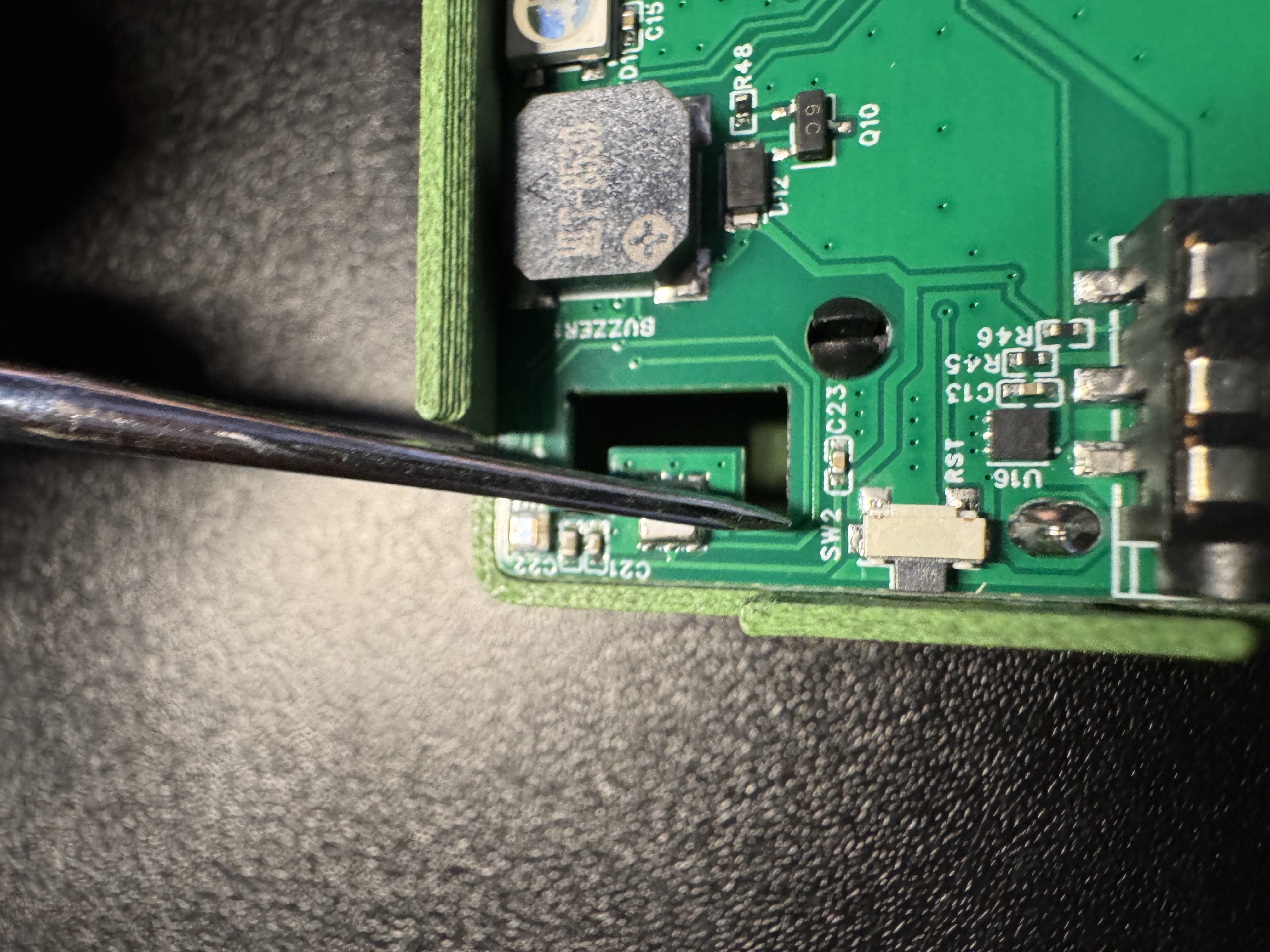
3. Continue with uploading the firmware