mmWave tuning videos
Radar Engineering Mode (REM)
If your Apollo MSR-2 reports presence in an empty room, turn on Radar Engineering Mode (REM) to watch the energy in each radar gate, then raise the threshold of any gate that triggers on its own. You do this on the MSR-2's built-in web page, because the Apollo Automation app for Homey doesn't show these controls.
Both videos are from Apollo and use the MSR-1, which has the same LD2410B radar as your MSR-2. If a video tunes the radar in Home Assistant, follow along on your MSR-2's web page instead, using the quick summary below.
Radar gates and zones
A quick introduction to the gates and zones of the LD2410B radar.
Tuning with Radar Engineering Mode
How to tune the radar with Radar Engineering Mode.
Quick summary
Here's the whole process in five steps, all on your MSR-2's web page. You need a phone or computer on the same network as the sensor.
- Open the web page. Take the last 6 characters of your MSR-2's name in Homey, such as
c64a28in Apollo MSR-2 c64a28, and go tohttp://apollo-msr-2-c64a28.local/with your own characters. If that doesn't load, go tohttp://<device IP>instead. - In the Configuration section, turn on Radar Engineering Mode.
-
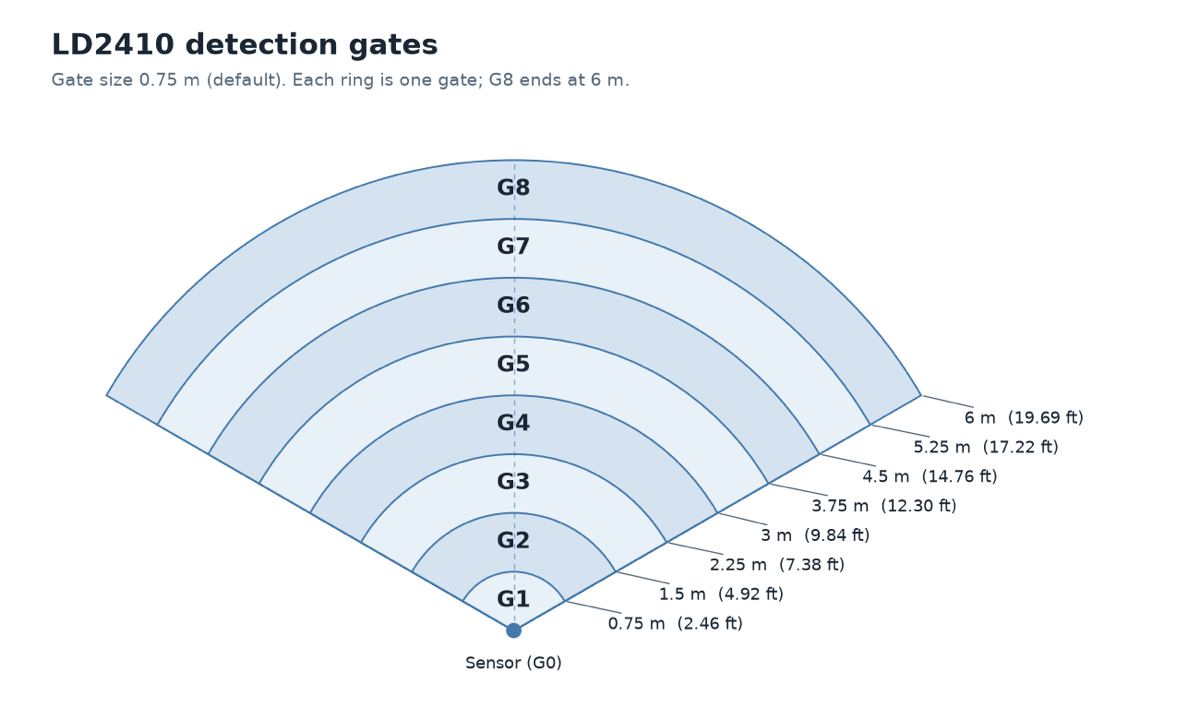
In the Diagnostic section, watch the gate energy readings, g0 move energy and g0 still energy through g8 move energy and g8 still energy. Each gate covers 0.75 m, counted out from the sensor.
-
Move a gate's threshold slider, such as g6 move threshold or g6 still threshold, to the right to make that gate less sensitive, or to the left to make it more sensitive.
- Turn Radar Engineering Mode back off when you're done.
Your MSR-2 now detects people where you want it to. To confirm it in Homey, open your MSR-2 and watch Has Target as you walk around the room.
Quote from popular YouTuber Make It Work Tech
I ended up maxing out the sliders on all gates and then bringing them down just enough to pick up human presence. Definitely easier than using the LD2410B app. - MakeItWorkTech
Open-plan kitchen and living room: light the kitchen only
You'll tune the gates so only movement in the kitchen turns on the kitchen lights.
- Stand in the spots where you want the MSR-2 to trigger, and in the spots where it shouldn't.
- Watch which gates rise in each spot.
- Move the sliders for the living room gates to the right, so walking past no longer turns on the kitchen lights. Move the still threshold sliders for the kitchen gates to the left, so the lights stay on while you read a recipe or do the dishes.
Next step: tune gate by gate
The full guide walks you through finding your MSR-2's address, reading the gate energy against each threshold, and the radar settings you can change in Homey itself.