Reset Wi-Fi credentials on your PUMP-1
You'll reset the device's Wi-Fi credentials, then connect it to your new Wi-Fi network through its hotspot.
1. Plug the PUMP-1 into power.
2. Long press the Boot button (the button on the right) for 10 seconds.
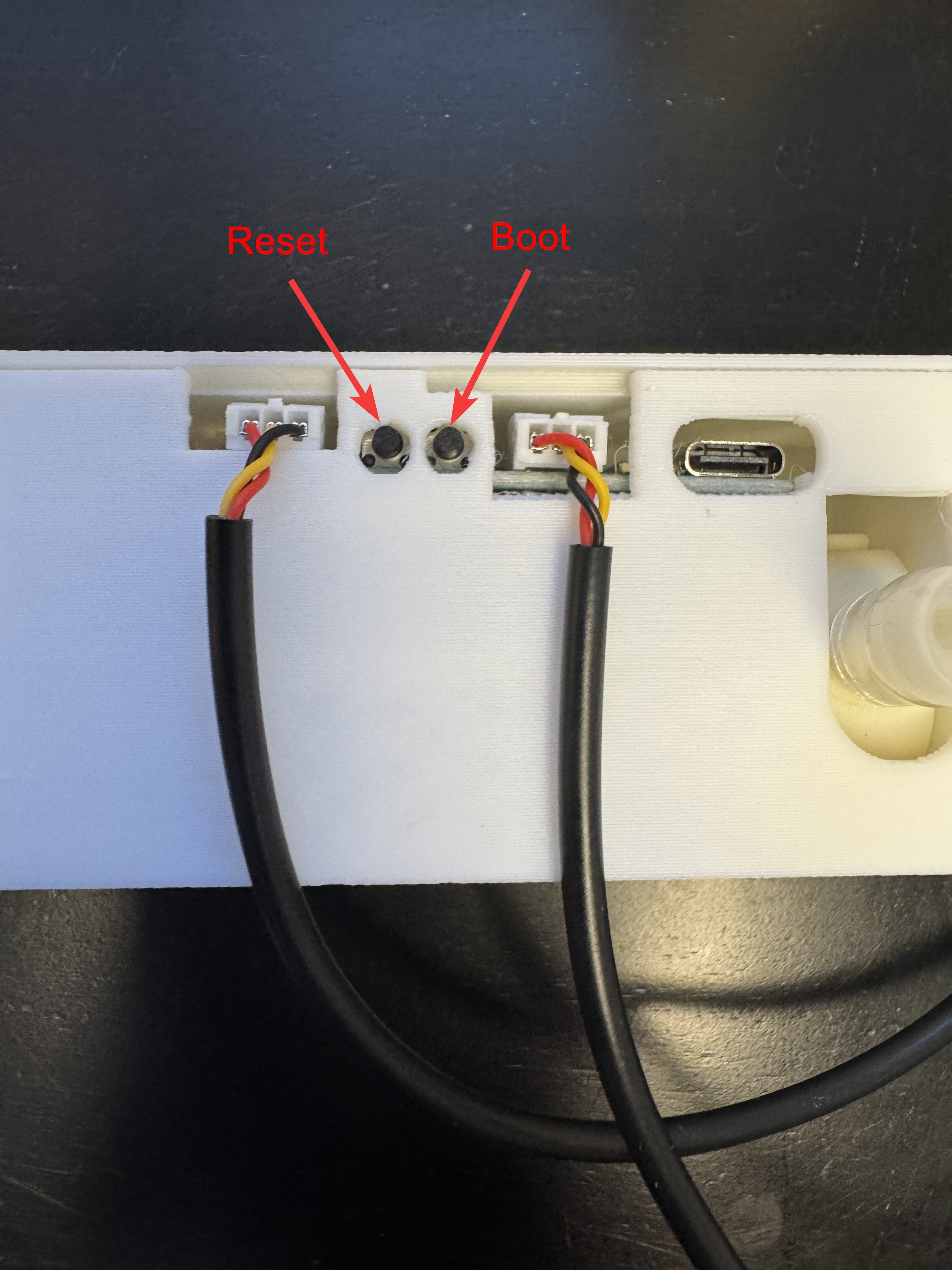
3. The Wi-Fi credentials should be reset and it will broadcast its hotspot again.
4. Connect to the hotspot titled "Apollo PUMP-1 Hotspot" and enter your new Wi-Fi details!