MSR-2 outlet mount
You'll attach your sensor to a top facing USB-C plug with the Outlet Mount.
1. Gather a top facing USB-C plug, an MSR-2, and our MSR-2 Outlet Mount.
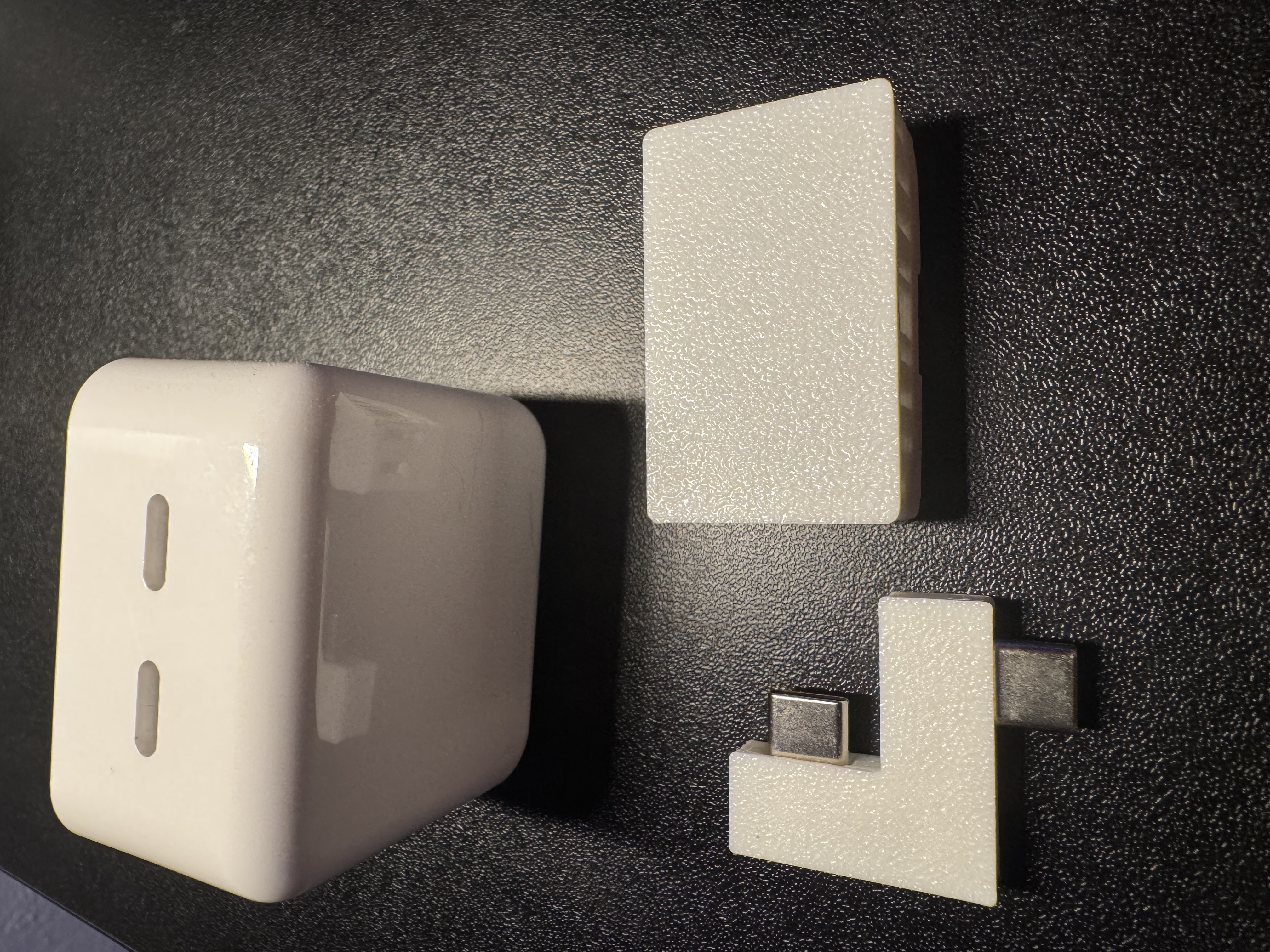
2. Align the MSR-2 with the USB-C port facing the left side and align the MSR-2 Outlet Mount as shown in the image below.
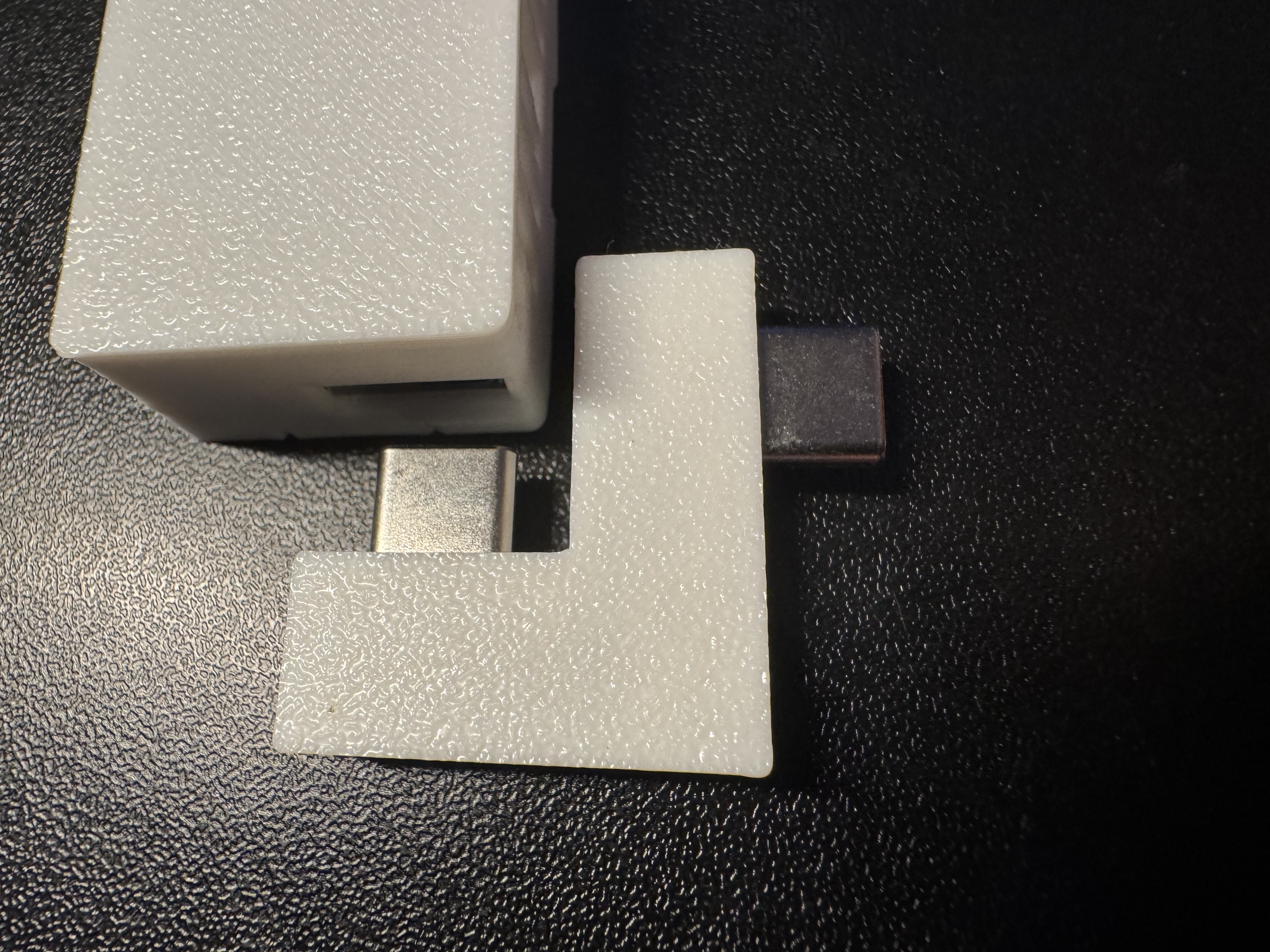
3. Push the MSR-2 Outlet Mount into the USB-C port until it's fully seated. Do not push hard, it will go in very smoothly.
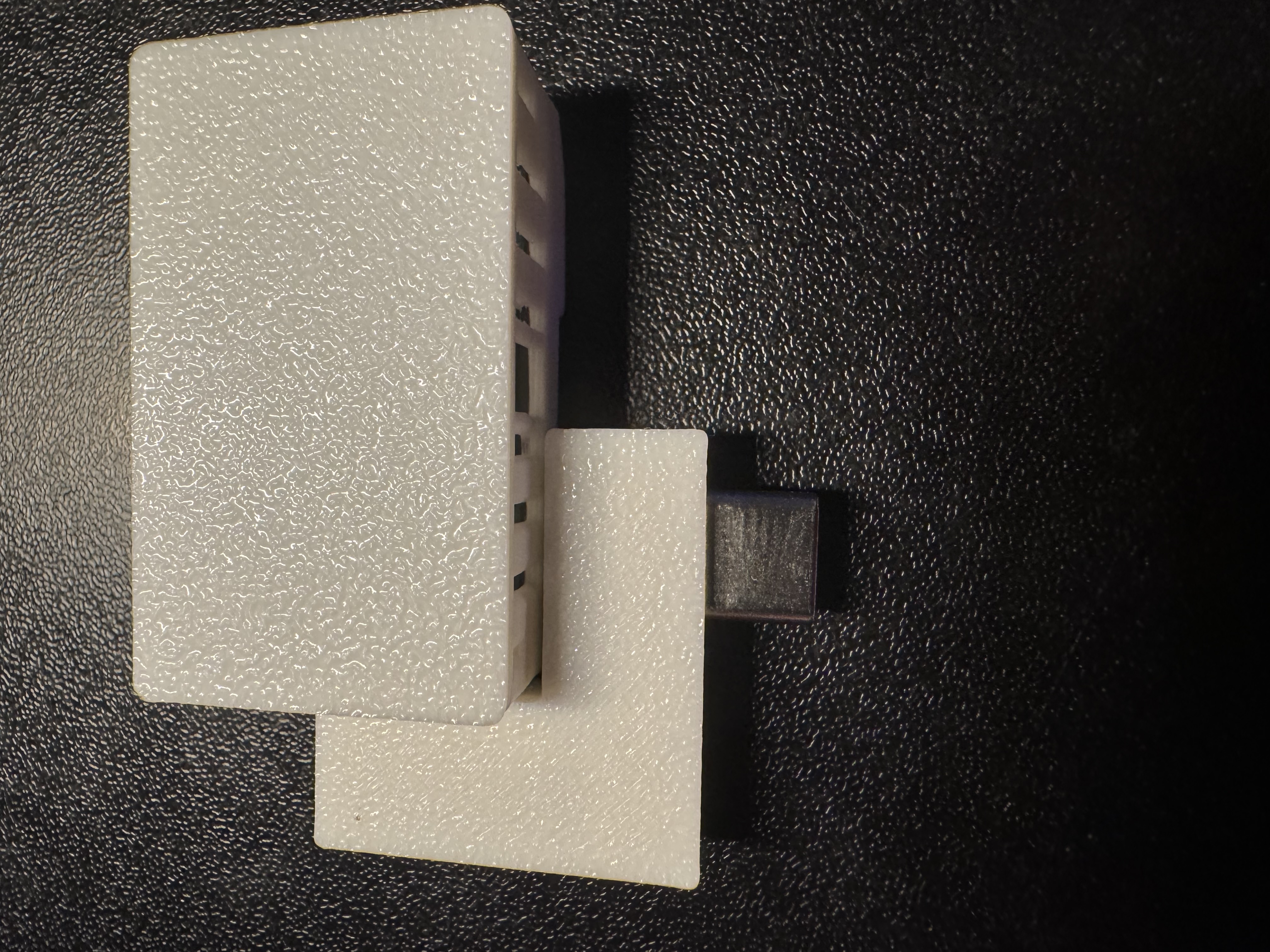
4. Gently push the other USB-C port of the MSR-2 Outlet Mount into the top of the USB-C top facing plug.
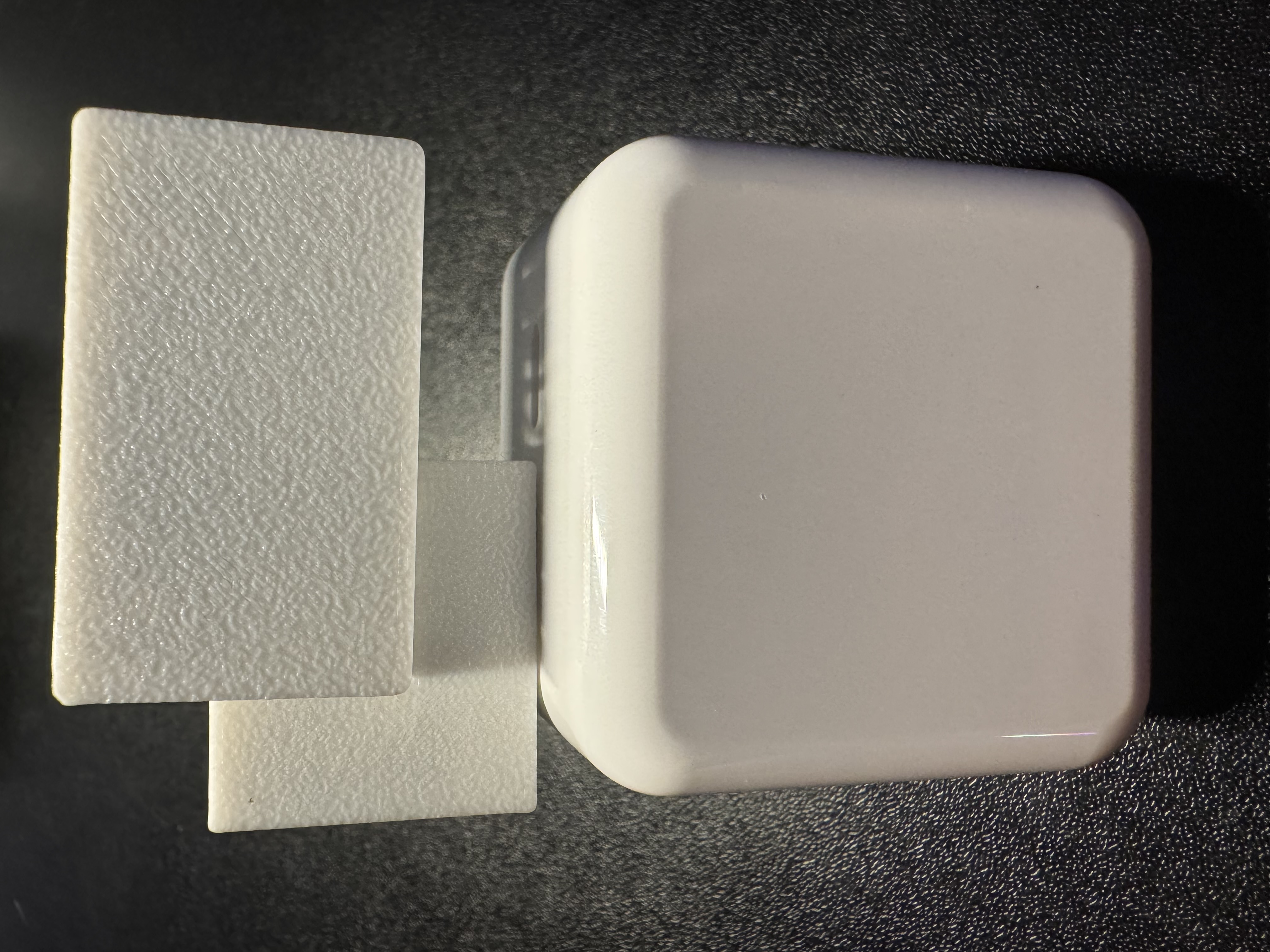
You're ready to plug it in and begin using your device!
Make sure to head to our getting started guide to get your MSR-2 up and running!