How To Wake Up Your Sensor
There are two ways to wake a sleeping Apollo battery sensor: press the reset button, or hold the boot button. Select your device below for the button locations.
Method 1: Reset button. Press and release the reset button to restart the device.
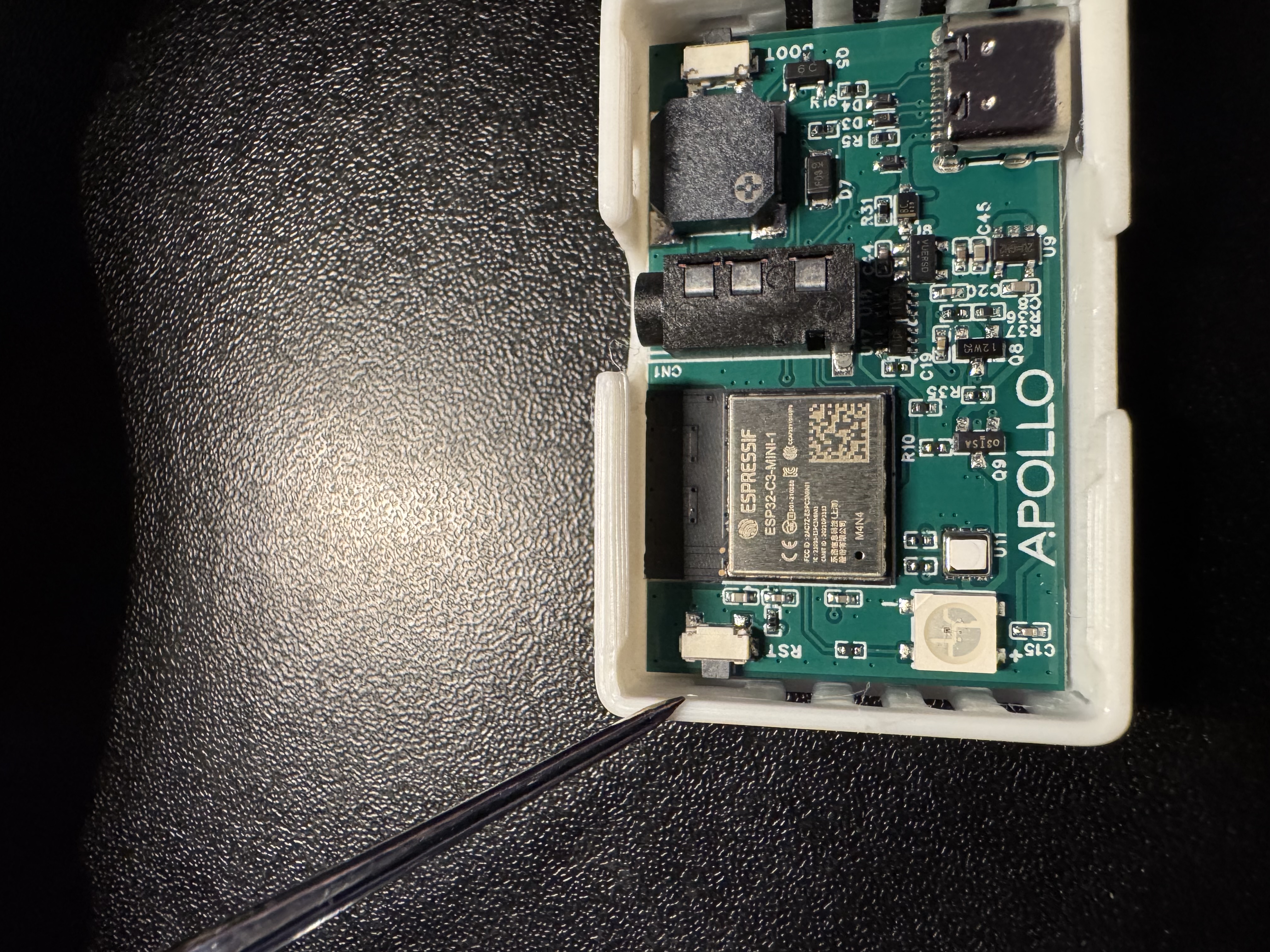
Method 2: Boot button. Quickly press and hold the boot button for 4-5 seconds.
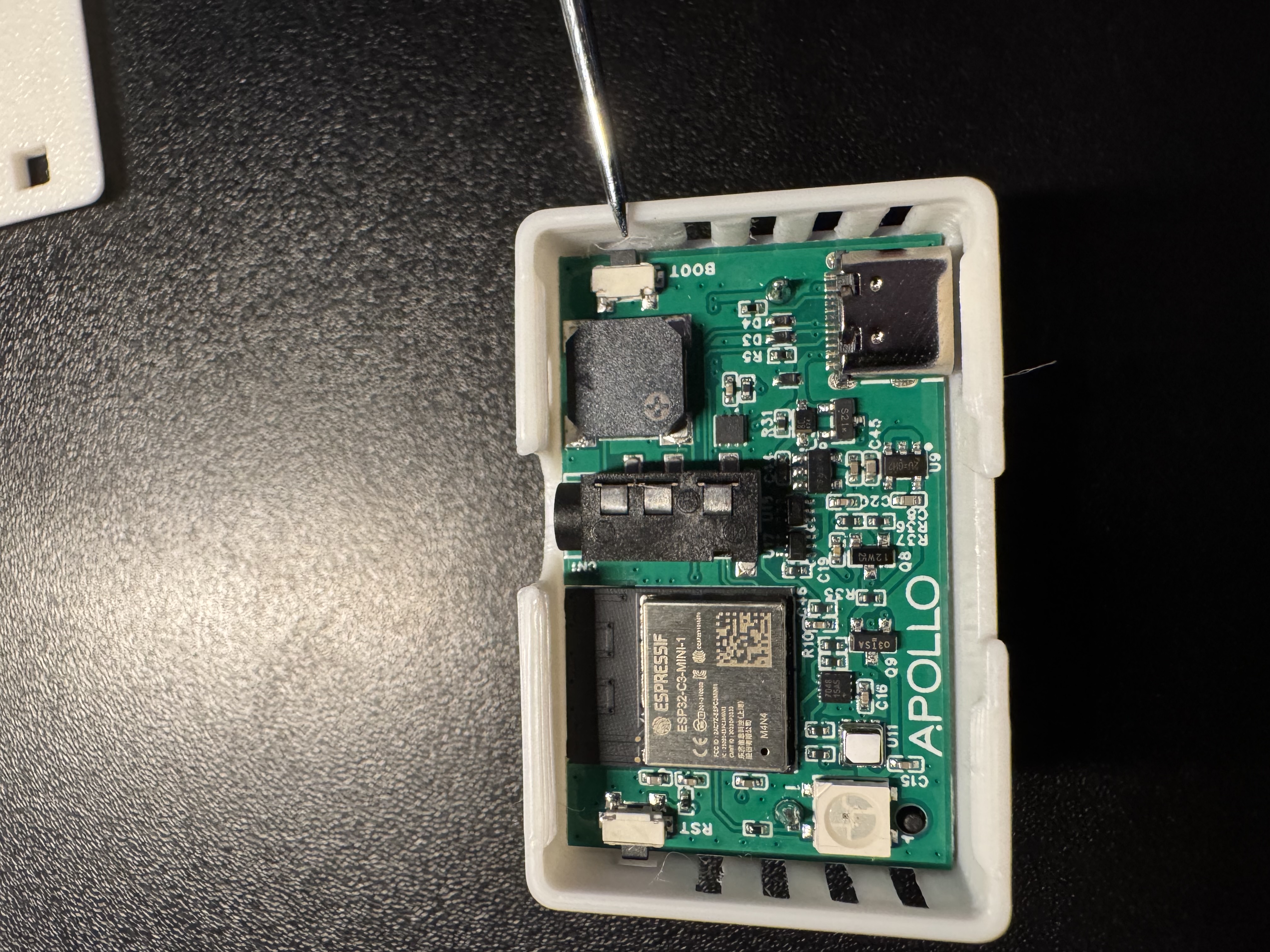
Button locations: TEMP-1B boot mode.
Method 1: Reset button. Press and release the reset button to restart the device.
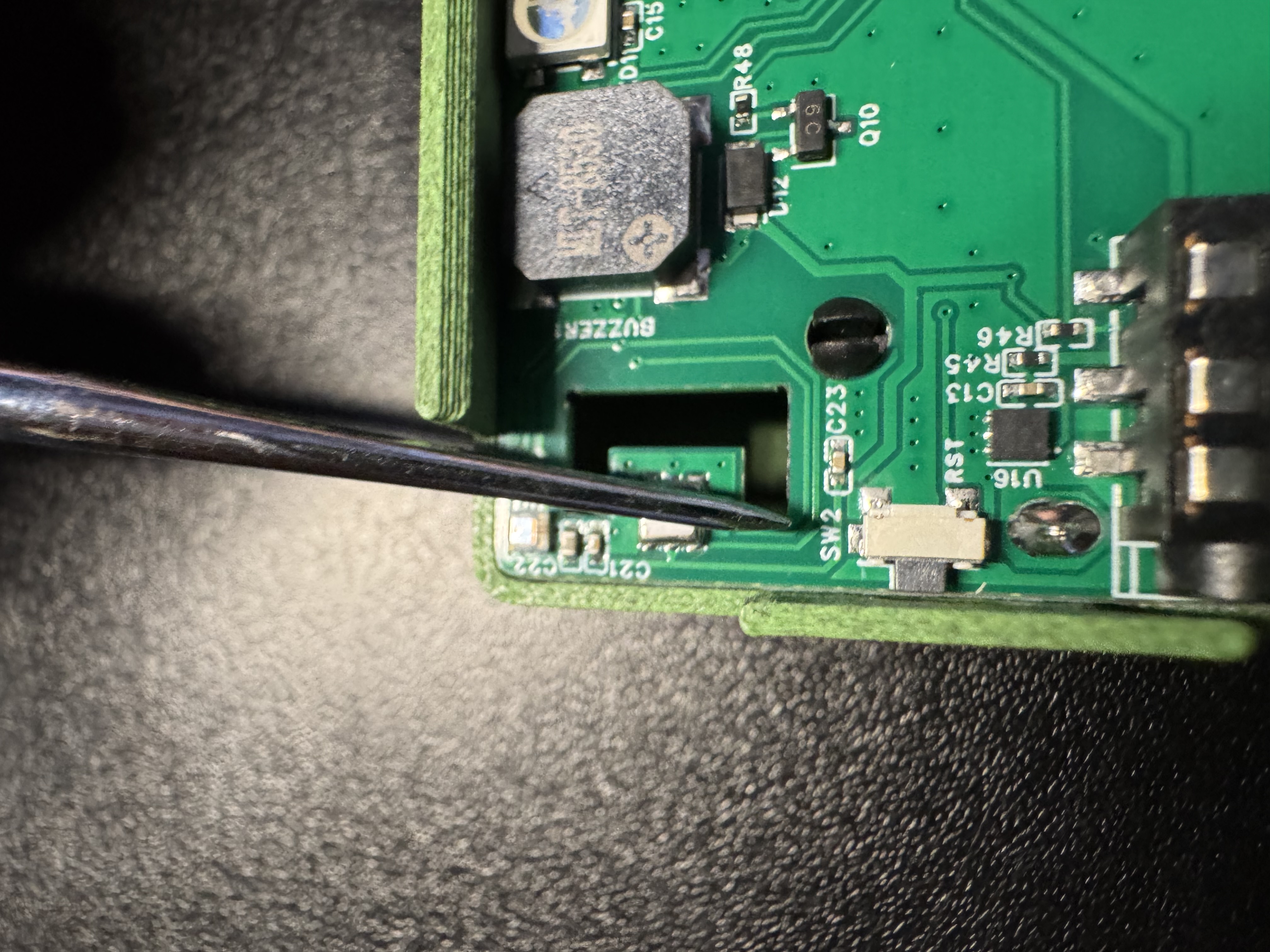
Method 2: Boot button. Quickly press and hold the boot button for 4-5 seconds.
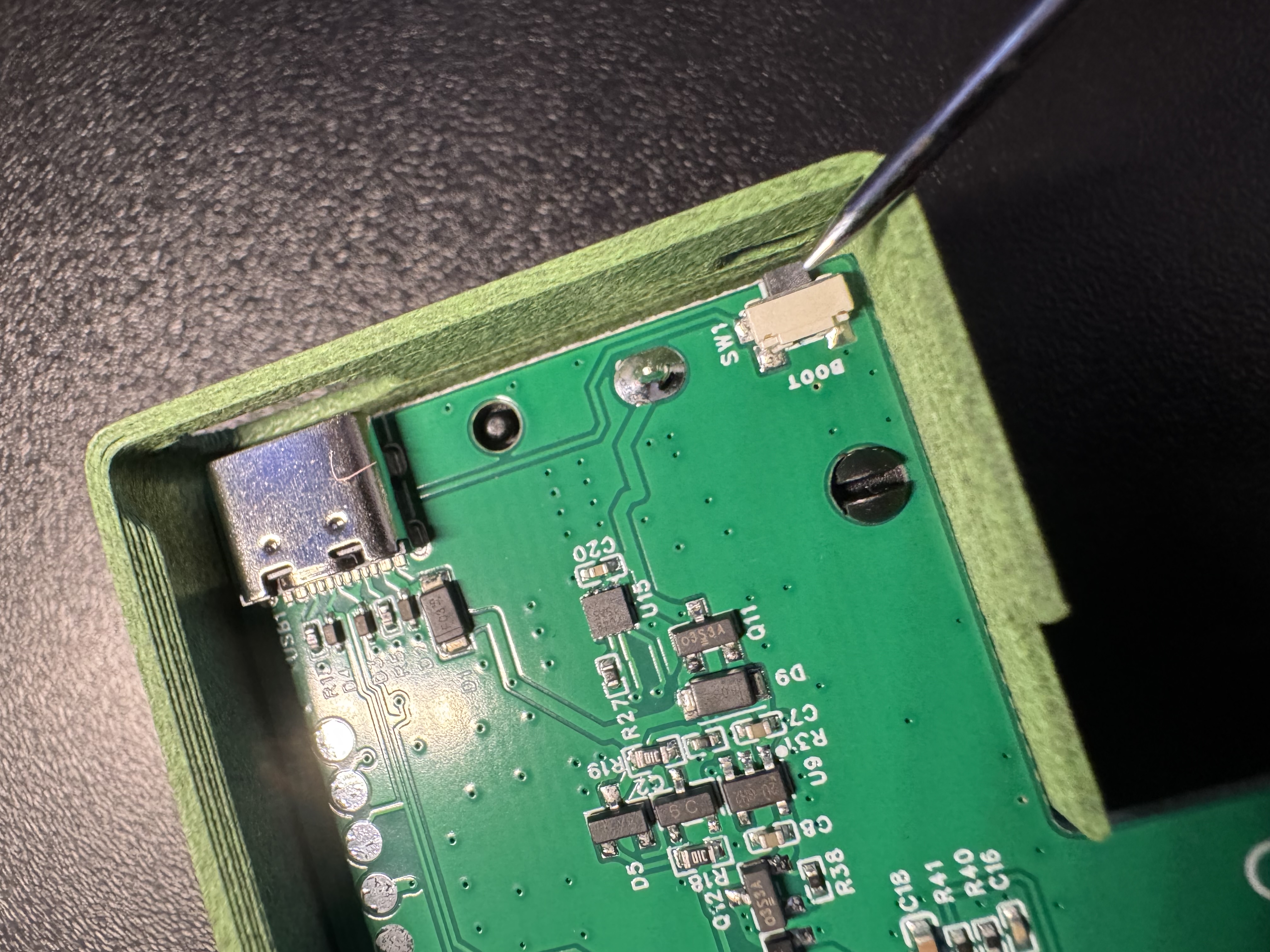
Button locations: PLT-1B boot mode.
Method 1: Reset button. Press and release the reset (left) button to restart the device.
Method 2: Boot button. Quickly press and hold the boot (right) button for 4-5 seconds.
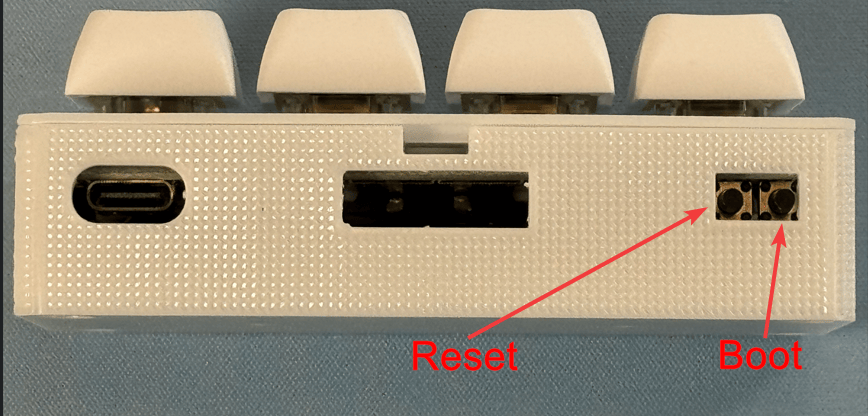
Button locations: BTN-1 boot mode.
Smart firmware only
The H-1 only sleeps when running the smart firmware. These steps apply when it is running that firmware.
Method 1: Reset button. Press and release the reset button to restart the device.
Method 2: Boot button. Quickly press and hold the boot button for 4-5 seconds.
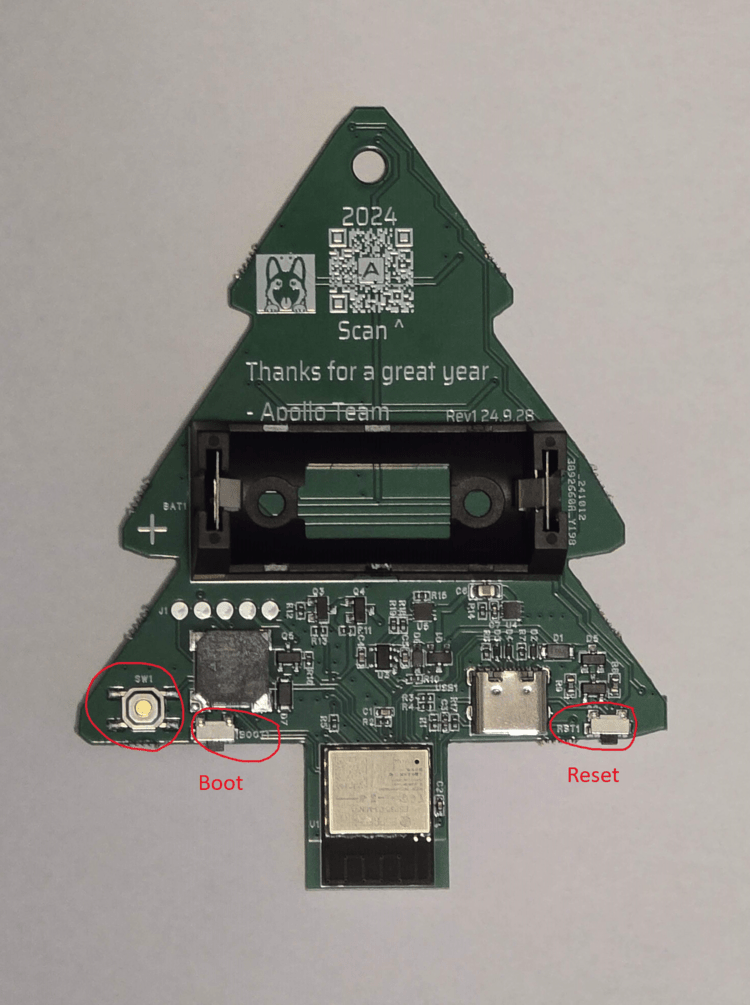
Button locations: H-1 boot mode.
Smart firmware only
The H-2 only sleeps when running the smart firmware. These steps apply when it is running that firmware.
Method 1: Reset button. Press and release the reset (left) button to restart the device.
Method 2: Boot button. Quickly press and hold the boot (right) button for 4-5 seconds.
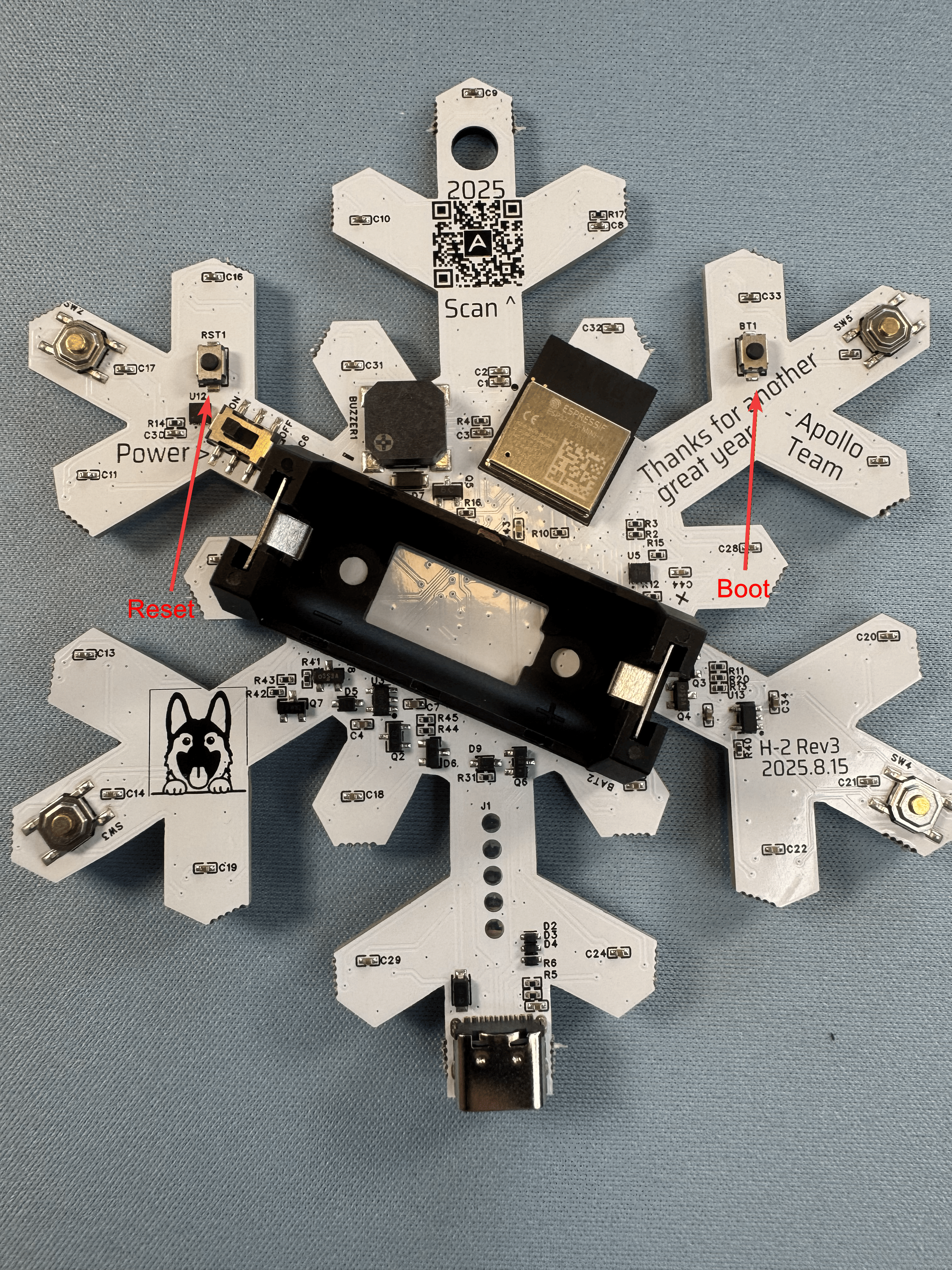
Button locations: H-2 boot mode.
Your device is now awake, but it will not stay awake on its own yet. Click the Prevent Sleep button on your device page in Home Assistant, or directly on the device web server such as plt-1.local or its IP address.
Head to the awake helper wiki article
If you need to keep your sensor awake for extended periods of time we suggest using our OTA awake helper.